Export promotion reporting data
Download reporting data and check the dates and totals before sharing it.
Choose the report and period
- Open the promotion’s Reporting panel.
- For a Purchase Sweepstakes, choose Purchases or, when enabled, Free Entry Form.
- Set the date range you want to analyze.
- Open Download reporting data beside the refresh control and choose the download for the data you need.
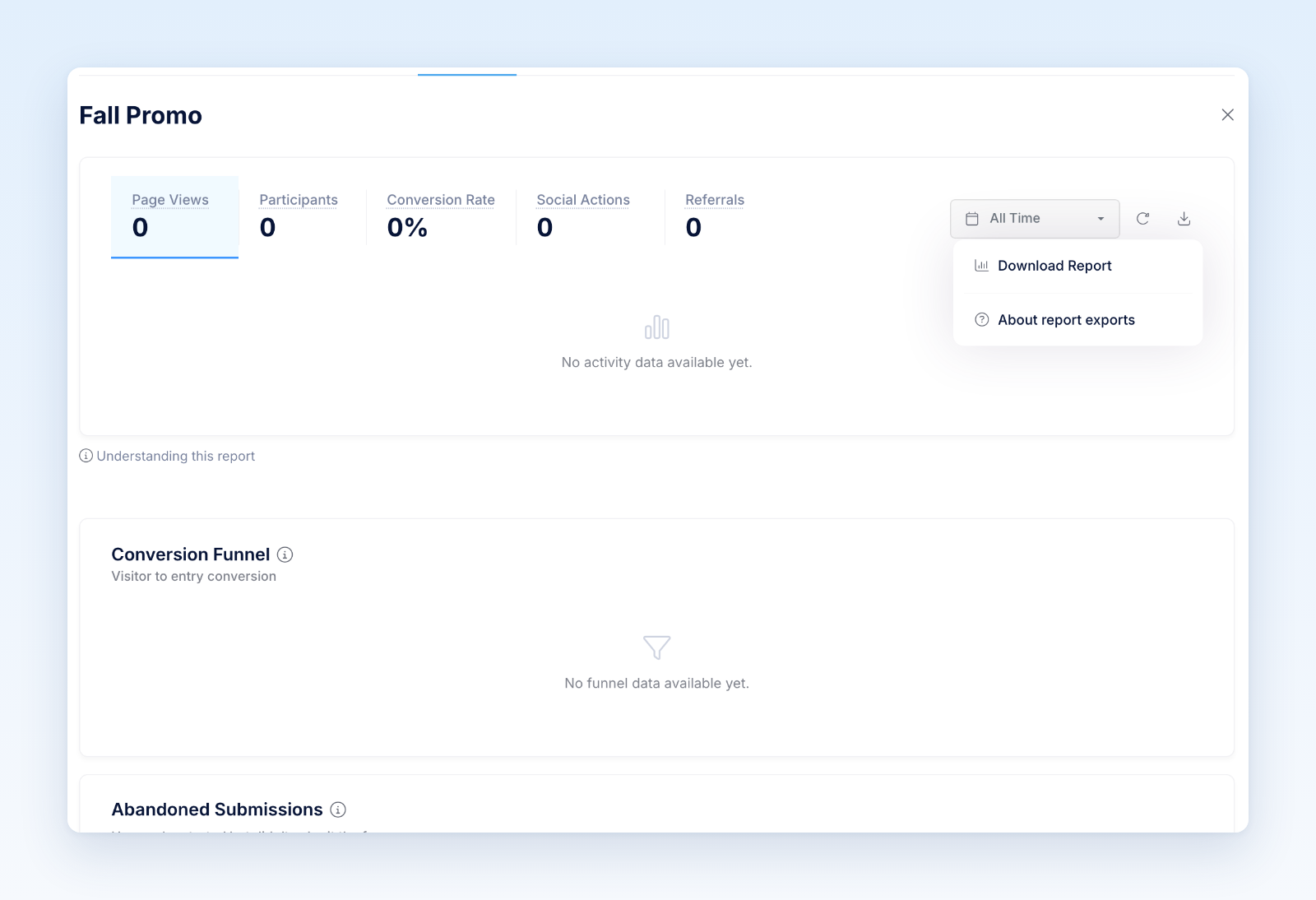
The Purchases tab uses Download Purchase Analytics, so you will not see Download Report there. If the purchase download control is missing, ask an account administrator to check your reporting export access.
Individual reporting sections also have download controls. For example, select Browsers, Operating Systems, or Devices before downloading the Technology Breakdown. The selected view determines which breakdown you receive.
For downloads that show a preparation status, wait for the file to become available before trying again.
Check what the numbers represent
Confirm the promotion’s time zone and selected dates. Check whether each row describes a day, a traffic source, a device category, or an individual play. Those rows do not necessarily represent individual people.
For Purchase Sweepstakes, compare the same currency, qualifying rules, and order dates when reconciling with Shopify. Qualifying sales can differ from store-wide revenue, and refunds or recalculations can change earlier totals. Daily unique-purchaser counts can add up to more than the range total because one person may buy on several days. See Understand Purchase Sweepstakes reporting for those definitions.
Daily and purchase reporting exports summarize activity; the Instant Win plays download lists individual plays. Participants → Export provides participant records instead. A person can have several entries or activities, so these files can have different totals and row counts without either being wrong.
Test a small, known date range and compare the downloaded totals with the matching report on screen. Choose the same promotion and breakdown when comparing files. Protect any personal or event information in the export, and retain only the copies your team needs.
Was this helpful?
Still need help? Ask the team