Set up email sending for your account
Choose Revup-managed sending or your own domain, and understand what participants see when you email them.
Choose how your emails are sent
Revup offers two ways to send Flow emails. Revup-managed sending uses revupmail.com. Custom-domain sending uses your own domain. Both let you use a recognizable sender name and receive replies at your chosen verified inbox.
A custom domain is optional. Choose Revup-managed sending if you want to get started without DNS setup. Choose a custom domain when you want participants to see your domain in the email's From address.
Understand From and Reply-To
From identifies who sent the email. Reply-To is where a participant's reply goes. They do not have to be the same address.
For example, if your business is Your Brand and your verified inbox is hello@yourbrand.com:
- With Revup-managed sending, the sender name can be Your Brand, but the From email address uses
revupmail.com. Select your verifiedhello@yourbrand.cominbox as Reply-To to receive replies there. - With a custom domain, the From email address can be
hello@yourbrand.com. You can also select that verified inbox as Reply-To.
Verifying your inbox for Revup-managed sending does not change the sending domain to your own domain. Check the actual From and Reply-To selections before sending.
Set up Revup-managed sending
- Open Account → Email Sending.
- Review Edit Business Profile and keep your business details current before going live.
- Under Revup managed sending, select Add Sender Email if you need to add an inbox.
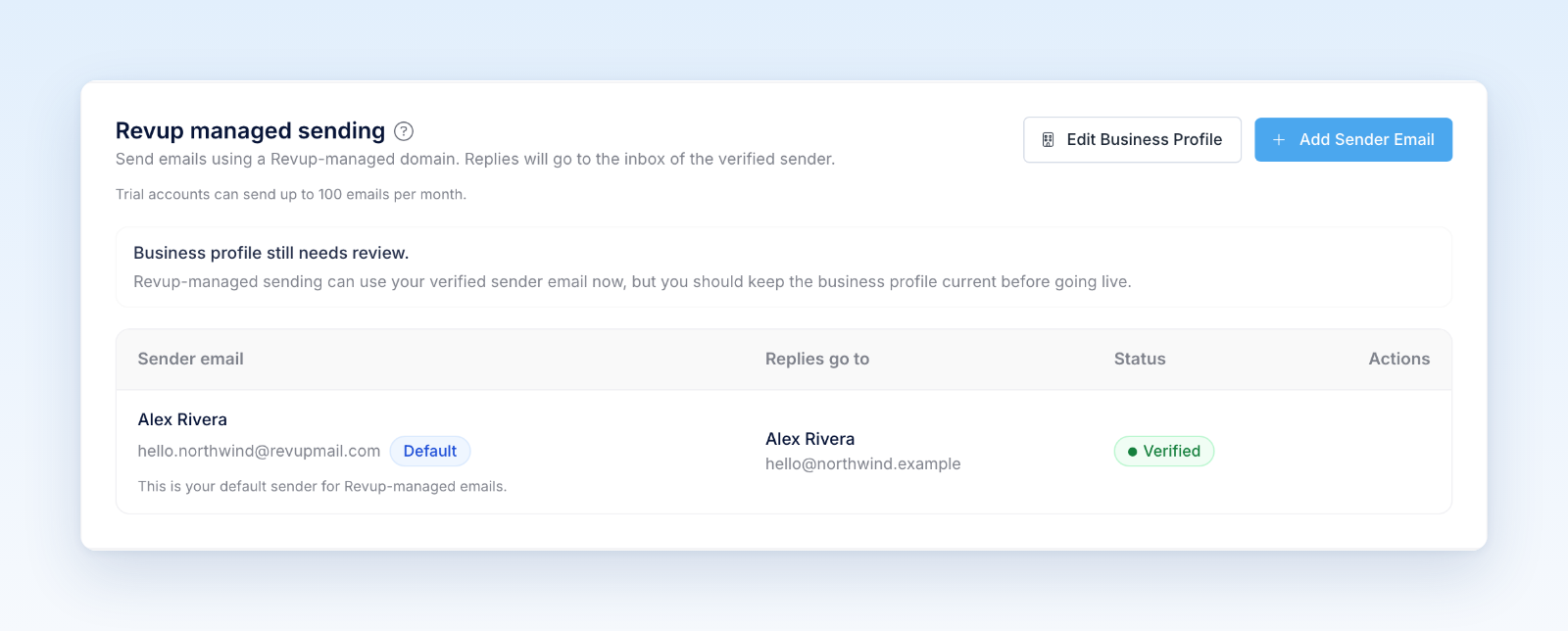
- Enter your sender details and complete the mailbox verification using the email sent to that inbox.
- Use Set as Default for the sender you want to use by default, then review the From and Reply-To selections in your Flow.
You do not need to connect a custom domain or add DNS records for this option.
Set up a custom domain
- Open Account → Email Sending and find Custom domains. Trial accounts must upgrade before connecting a domain.
- Select Connect Custom Domain and enter the domain you control.
- Add the displayed DNS records at your DNS provider, then recheck verification in Revup.
- Complete the required business details and wait for Revup approval. DNS verification and Revup approval are separate requirements.
- Once the domain is ready, use Add Sender Email for an inbox on that domain and complete mailbox verification.
- Select the custom-domain sender in your Flow and check Reply-To before sending.
Test before launching
Send a test Flow email to an inbox you can inspect. Check the sender name, full From address, Reply-To address, branding, links, and unsubscribe option. Reply to the test to confirm it reaches the intended inbox.
Adding a domain alone does not confirm which sender a Flow uses. Review the selected sender and make sure Revup shows it as available. Inactive billing, incomplete DNS, pending approval, or a sending hold can prevent custom-domain sending.
Was this helpful?
Still need help? Ask the team