Integrations overview and shared setup concepts
Learn how Revup connects promotions to supported email, SMS, CRM, ecommerce, Zapier, and webhook destinations.
Choose a destination for participant data
Integrations send participant data from Revup to tools your team already uses. Configure integrations inside a promotion, then manage connected accounts from Account settings.
Currently supported promotion destinations
Revup has current connection or delivery services for HubSpot, Klaviyo, Mailchimp, Constant Contact, Attentive, Omnisend, ActiveCampaign, Postscript, Zapier, and Webhook. Shopify is connected at the account level for Purchase Sweepstakes and storefront features.
Availability and authentication method can vary by provider and account configuration.
A typical setup
- Open the promotion builder and select Integrations.
- Choose the provider.
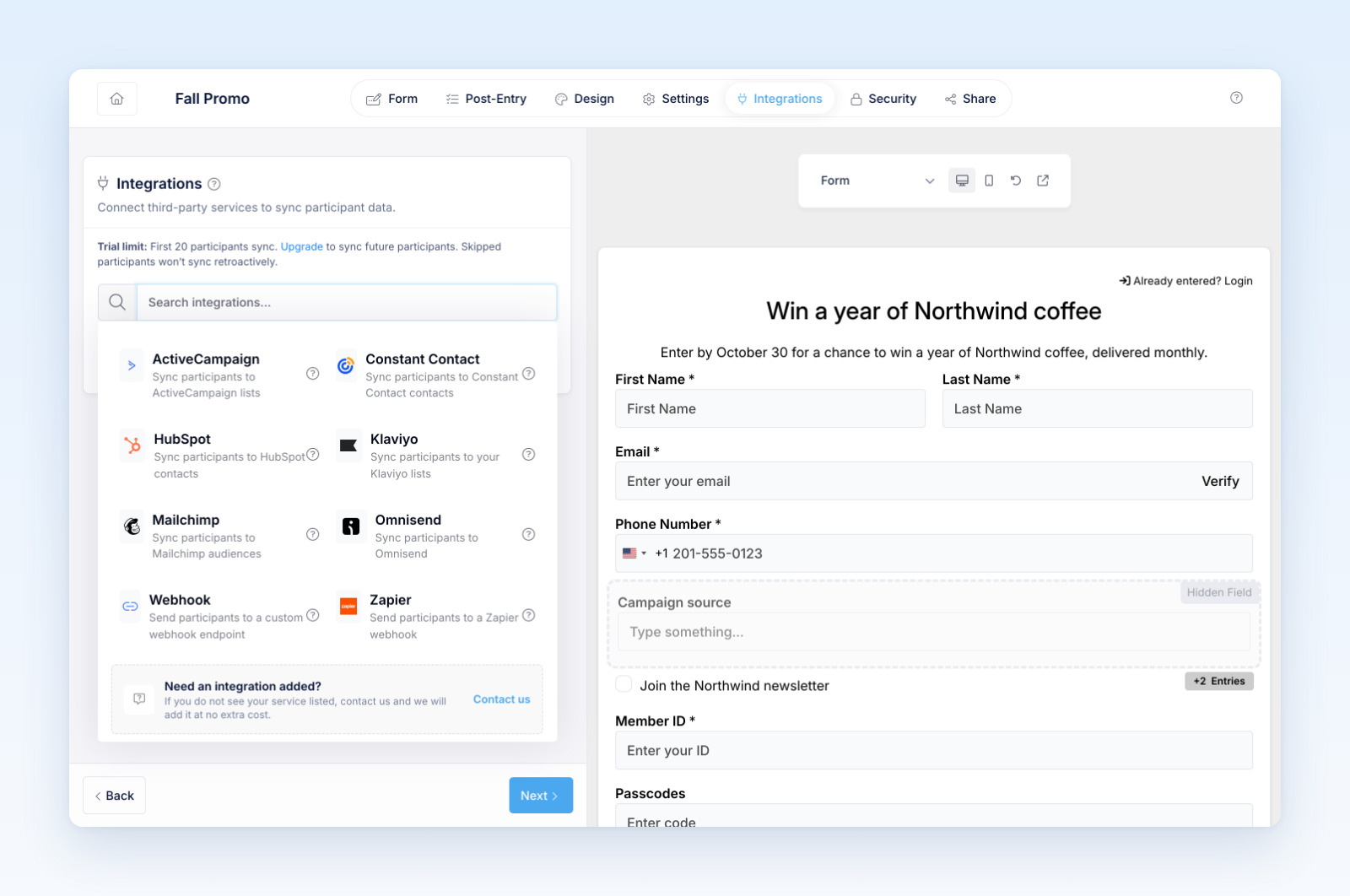
- Connect or select the intended provider account.
- Choose the destination list, audience, or equivalent object when the provider requires one.
- Map Revup fields to destination fields.
- Save and enable the integration.
- Submit a test participant and verify the record in the destination.
Field mapping
Map the participant’s email to the provider’s email field and review every other mapping deliberately. Use consistent destination field types for dates, numbers, checkboxes, and text. Consent fields should represent the permission the participant actually gave; connecting an integration does not create marketing consent.
Delivery and retries
Revup records whether a participant was delivered successfully. If a provider rejects or temporarily fails a request, authorized users can review the participant’s integration delivery details and retry eligible failures after correcting the cause.
Account-level management
Go to Account → Integrations to see connected accounts, connection status, usage by promotions, and available reconnect or disconnect actions. Disconnecting an account can stop future deliveries for every promotion using that connection.
About other names in the catalog
Some provider names may exist in older configuration or marketing material without a currently verified end-to-end connector. Do not plan a launch around a provider unless it is available in your promotion builder and a test participant reaches the destination successfully.
Was this helpful?
Still need help? Ask the team