Create a Purchase Sweepstakes
Create a Shopify-connected promotion that awards entries for qualifying orders.
Start with a connected Shopify store
- Connect Shopify to the intended Revup account.
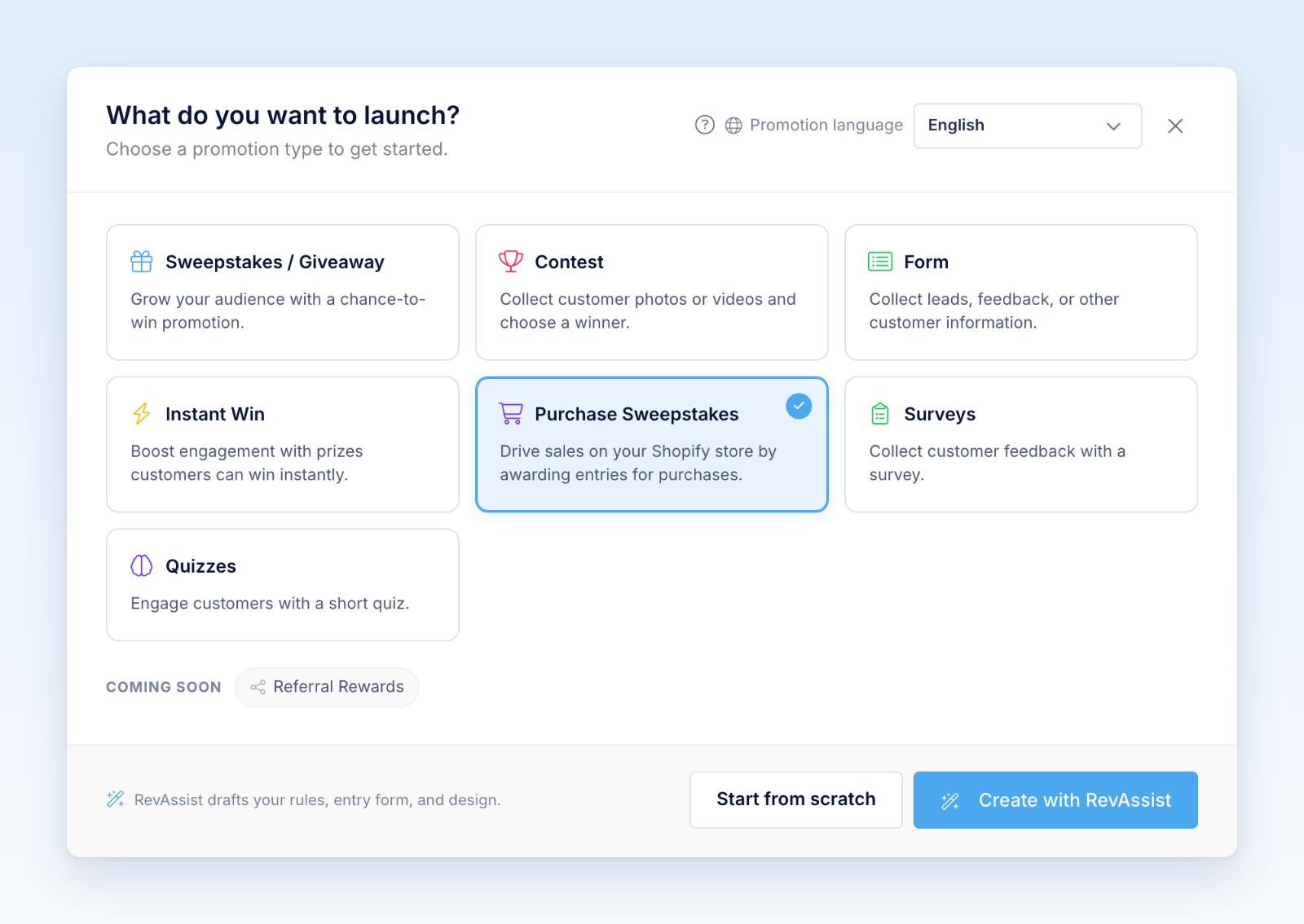
- Select Create Promotion → Purchase Sweepstakes.
- Under Settings, set the promotion dates, time zone, prizes, eligibility, and Official Rules.
- Configure the base entries-per-amount-spent rule.
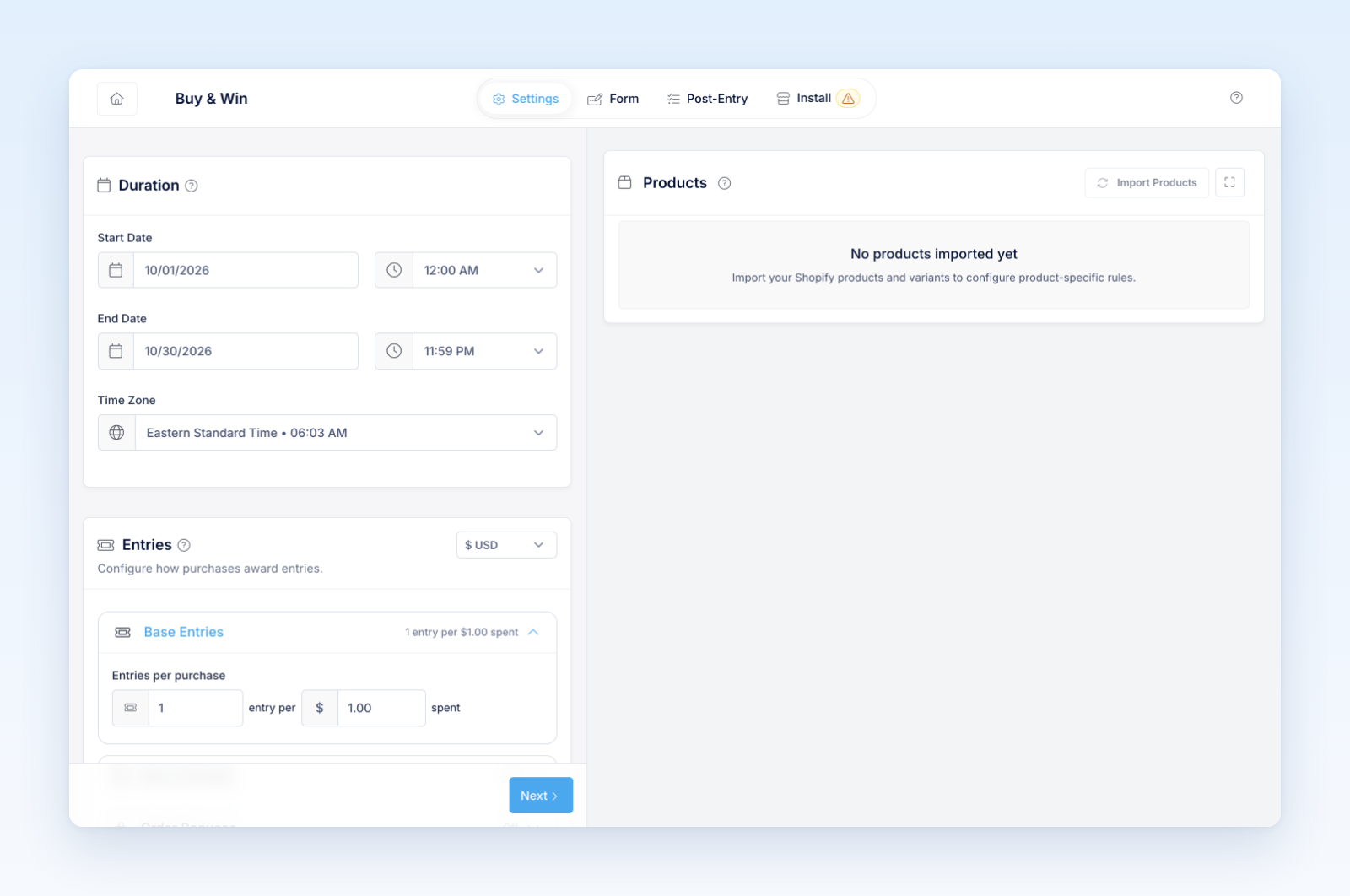
- Configure eligible products, product bonuses or multipliers, Bonus Periods, Order Bonuses, and Coupon Bonuses as needed.
- Choose whether to enable the storefront form and bonus actions. Customize the public content, languages, and available Design and Security controls.
- Import eligible order history for the supported promotion window.
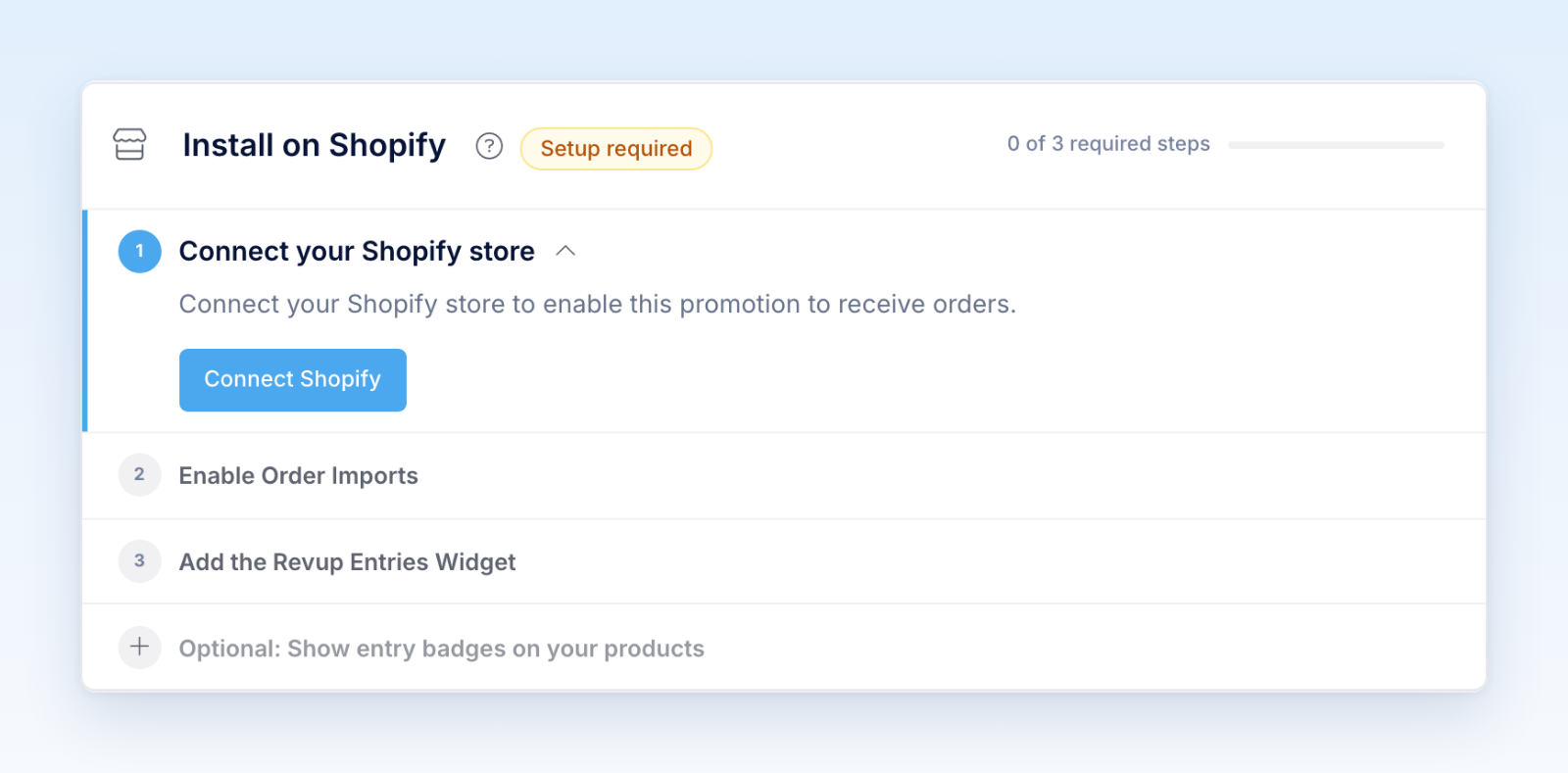
- Open Install to set up the storefront and account placements you plan to use.
Purchase Sweepstakes does not expose the standard Integrations tab or the promotion Flows editor. Plan customer communications through the supported purchase and account experiences.
Before launch, complete a controlled Shopify order and refund test. Verify the entry ledger, participant identity, product rules, storefront totals, and official-rules explanation.
Was this helpful?
Still need help? Ask the team