Restrict promotion access with geofencing
Allow promotion entry only from selected countries and understand how location access is evaluated.
Choose where participation is allowed
Geofencing limits promotion access to a list of countries you select. Use it when eligibility is restricted by location and your official rules clearly identify the eligible countries.
Configure geofencing
- Open the promotion and select Security.
- Turn on Geofencing.
- Search or filter the country list.
- Select every country that should be allowed.
- Review the Included Countries list before leaving the section.
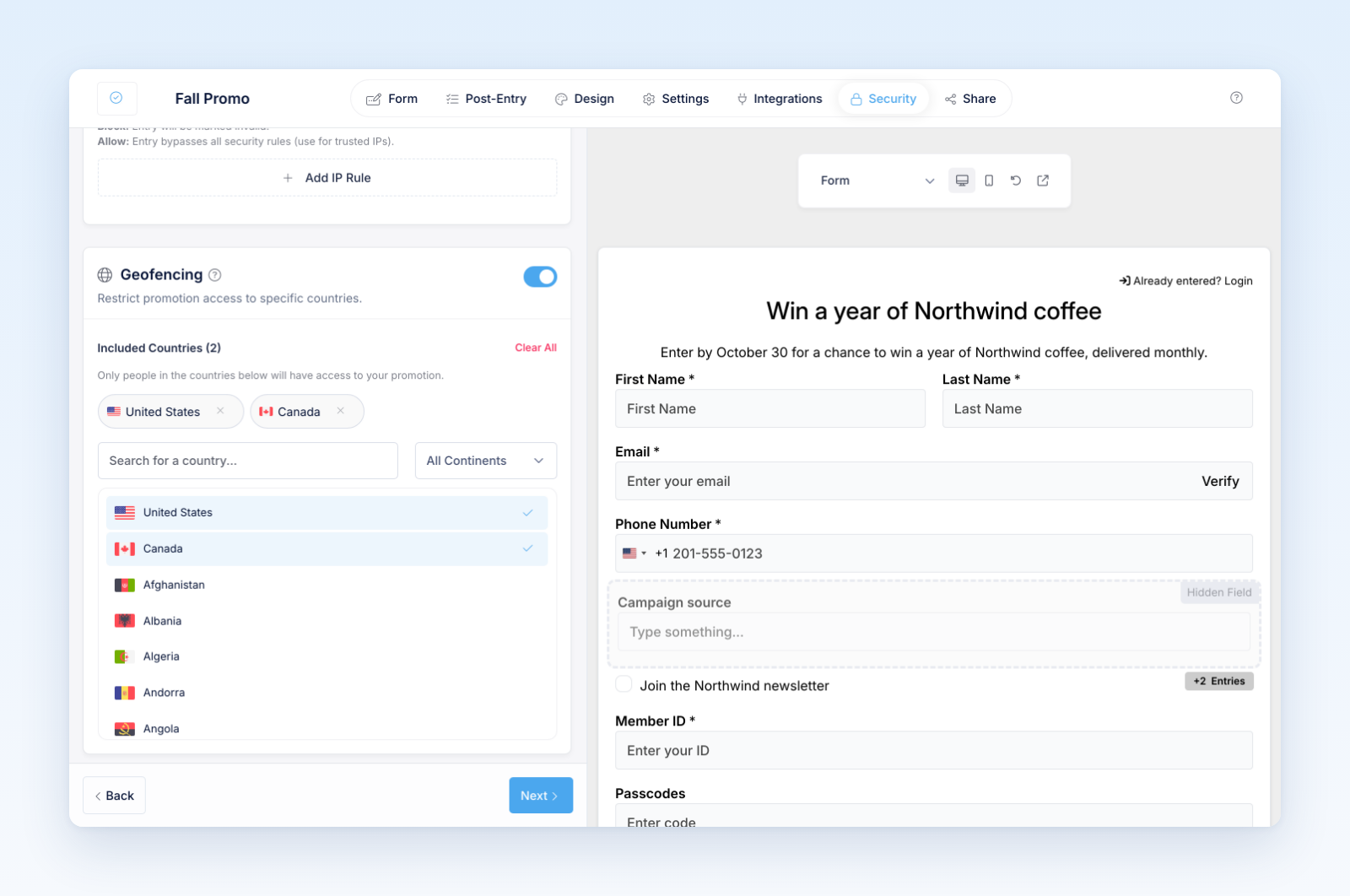
When geofencing is on and at least one country is selected, only requests identified as coming from an included country can enter. People outside the list, or whose country cannot be determined, see the promotion's location-restricted message.
If geofencing is on but the included-country list is empty, Revup does not apply a country restriction. Add at least one country for the control to take effect.
Before you launch
- Make the included-country list match the official rules exactly.
- Test from an eligible location and, when practical, an ineligible location.
- Review the location-restricted message in the builder preview.
- Remember that VPNs, mobile networks, corporate routing, and location databases can affect country detection.
Geofencing is an access control, not proof of residency or citizenship. Confirm winner eligibility using the process described in your official rules.
Was this helpful?
Still need help? Ask the team