Create a photo or video contest
Build a contest with media submissions, moderation, a public gallery, voting, rules, and prizes.
Start with a media submission
Create a Contest when the participant’s photo or video is the main submission and your team will review, judge, or publish it.
Create the contest
- From the dashboard, select Create Promotion.
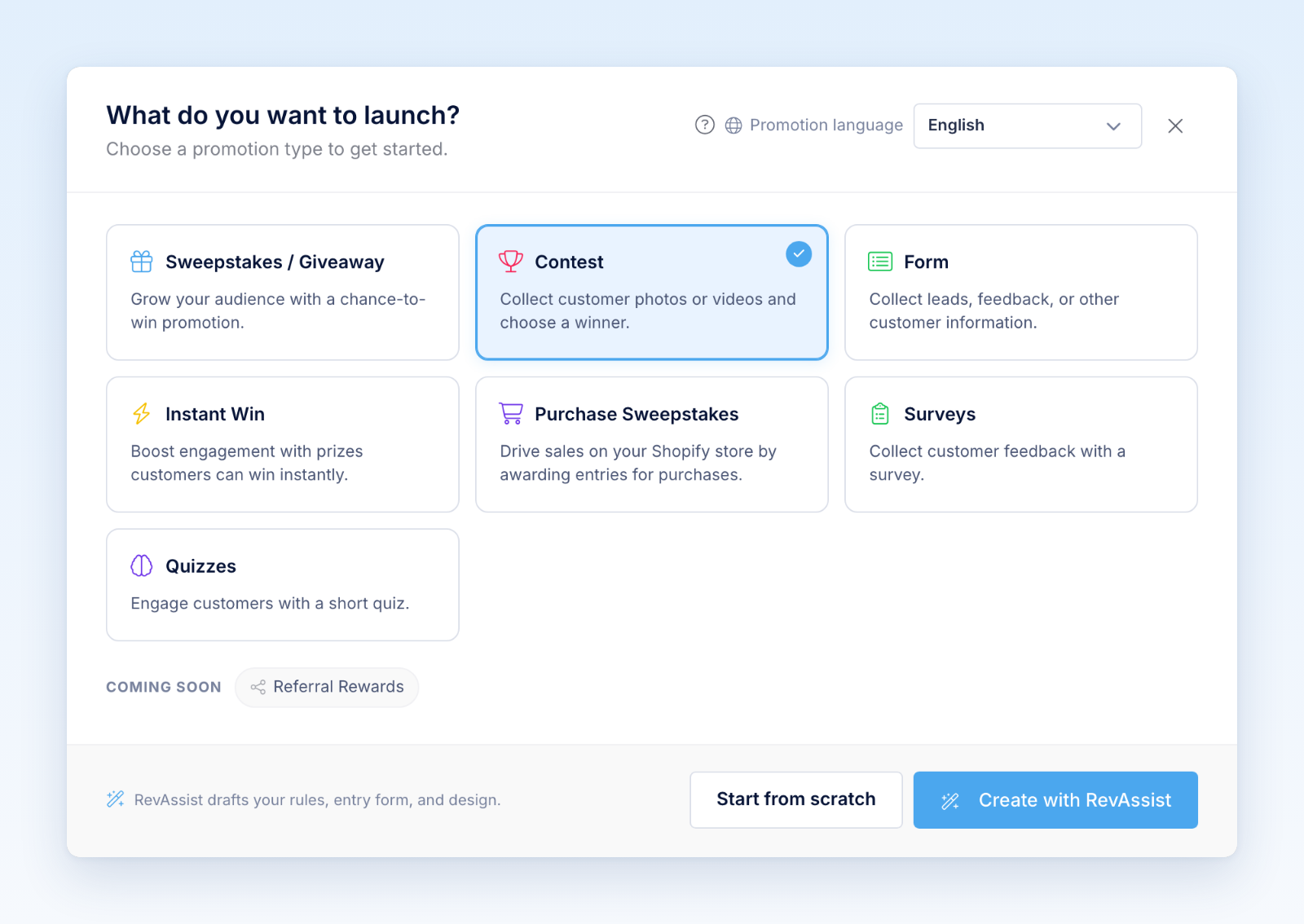
- Choose Contest.
- Choose Promotion language, then select Start from scratch to create a contest with a default name, or Create with RevAssist to complete the guided setup. Review and edit the name in the builder.
- In Settings, set the contest period, timezone, prizes, eligibility, judging approach, and official rules.
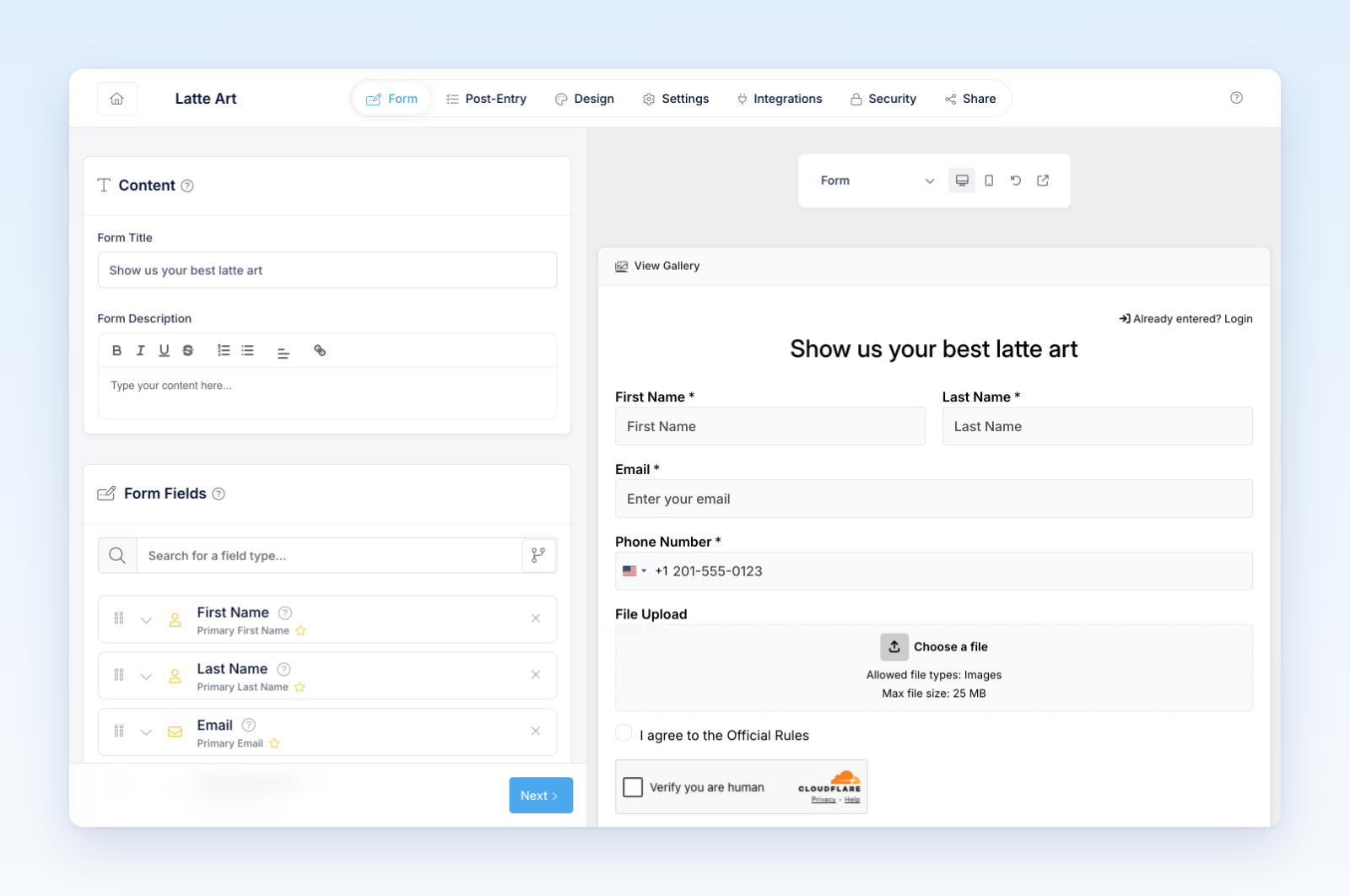
- In Form, write the instructions and configure the submission form.
- Keep the media-upload field and specify the accepted submission type.
- In Design, customize the entry form and gallery experience.
- In Security, configure entry limits, CAPTCHA, geography, and other protections.
Configure contest operations
Decide whether submissions must be approved before appearing publicly. For launch, moderation before publication is the safest default.
If voting is part of the contest, set the voting period, frequency, and verification requirements. Explain whether votes determine the winner, contribute to judging, or are used only for engagement.
Configure the gallery even if it will be published later. Review the gallery heading, detail view, participant information, vote display, and optional Enter Contest call to action.
Test the experience
Submit a valid photo and video using the same device types participants will use. Review processing, moderation, rejection, approval, gallery publication, detail display, voting, and the winner workflow.
Before launch
Confirm that the entry form consent, moderation policy, public display, voting rules, judging criteria, intellectual-property terms, and winner process all match the official rules. Your team should also know who will moderate submissions and how quickly reviews will occur.
Was this helpful?
Still need help? Ask the team