Limit repeat entries and filter IP addresses
Set entries-per-IP limits, block or allow specific IP addresses, and decide whether to block VPN and proxy connections.
Choose limits for shared connections
Revup can use a participant's IP address to limit repeat entries and identify connections that need special handling. These controls are in Security.
Limit entries from the same IP address
- Open the promotion and select Security.
- Select a preset security level, or choose Custom.
- Under Custom Controls, turn on Enable IP Address Limits.
- Enter the Maximum entries per IP address.
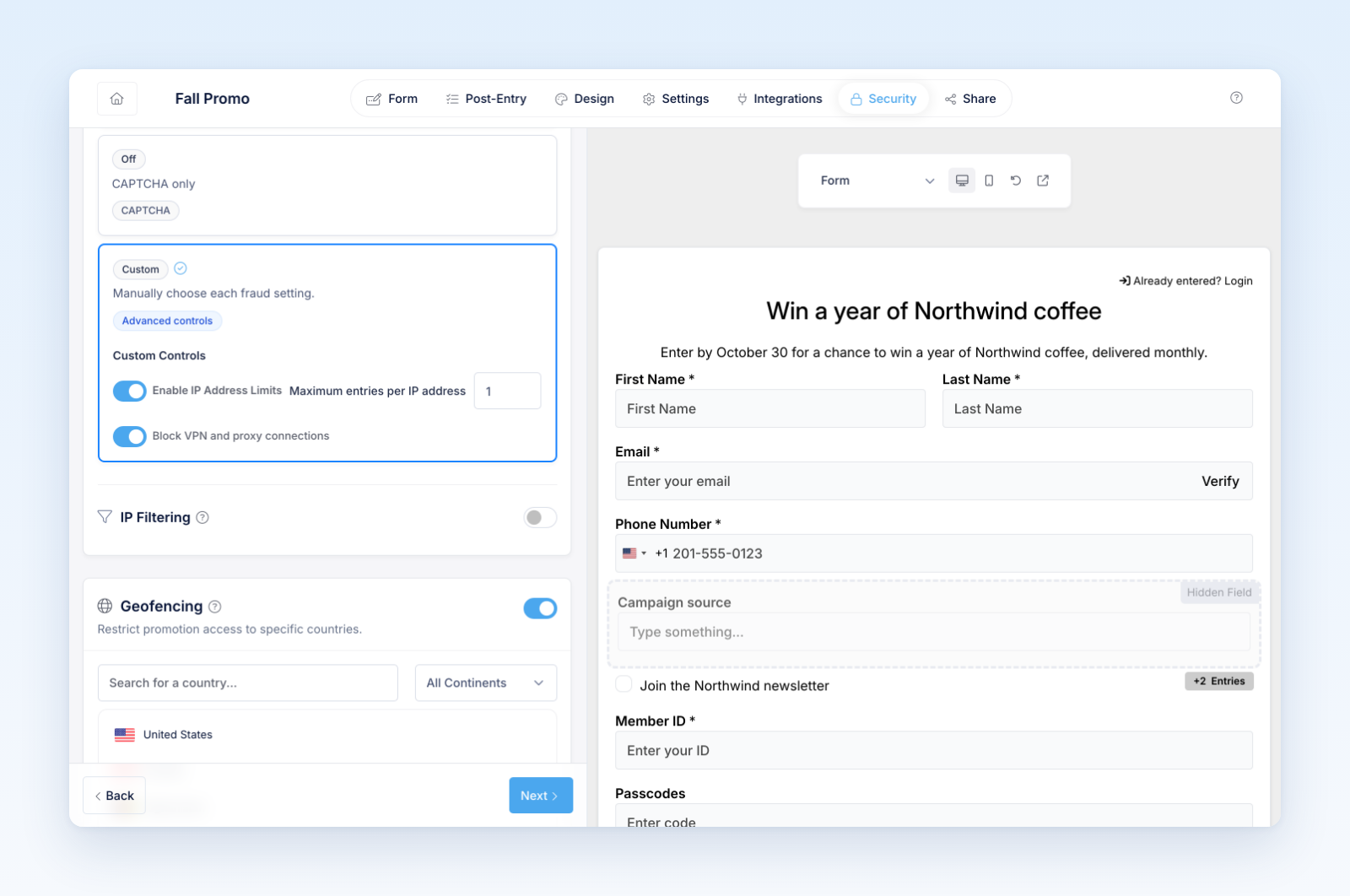
Revup evaluates earlier entries from the same IP address for this promotion. Once the maximum is reached, later entries from that address are marked invalid.
An IP address is not the same as a person. Households, offices, schools, stores, event venues, public Wi-Fi, and mobile networks may share one address. Use a limit that matches your official entry policy without unnecessarily blocking legitimate participants.
Allow or block a specific IP address
- In Security, turn on IP Filtering.
- Select Add IP Rule.
- Enter the IP address.
- Choose Block or Allow.
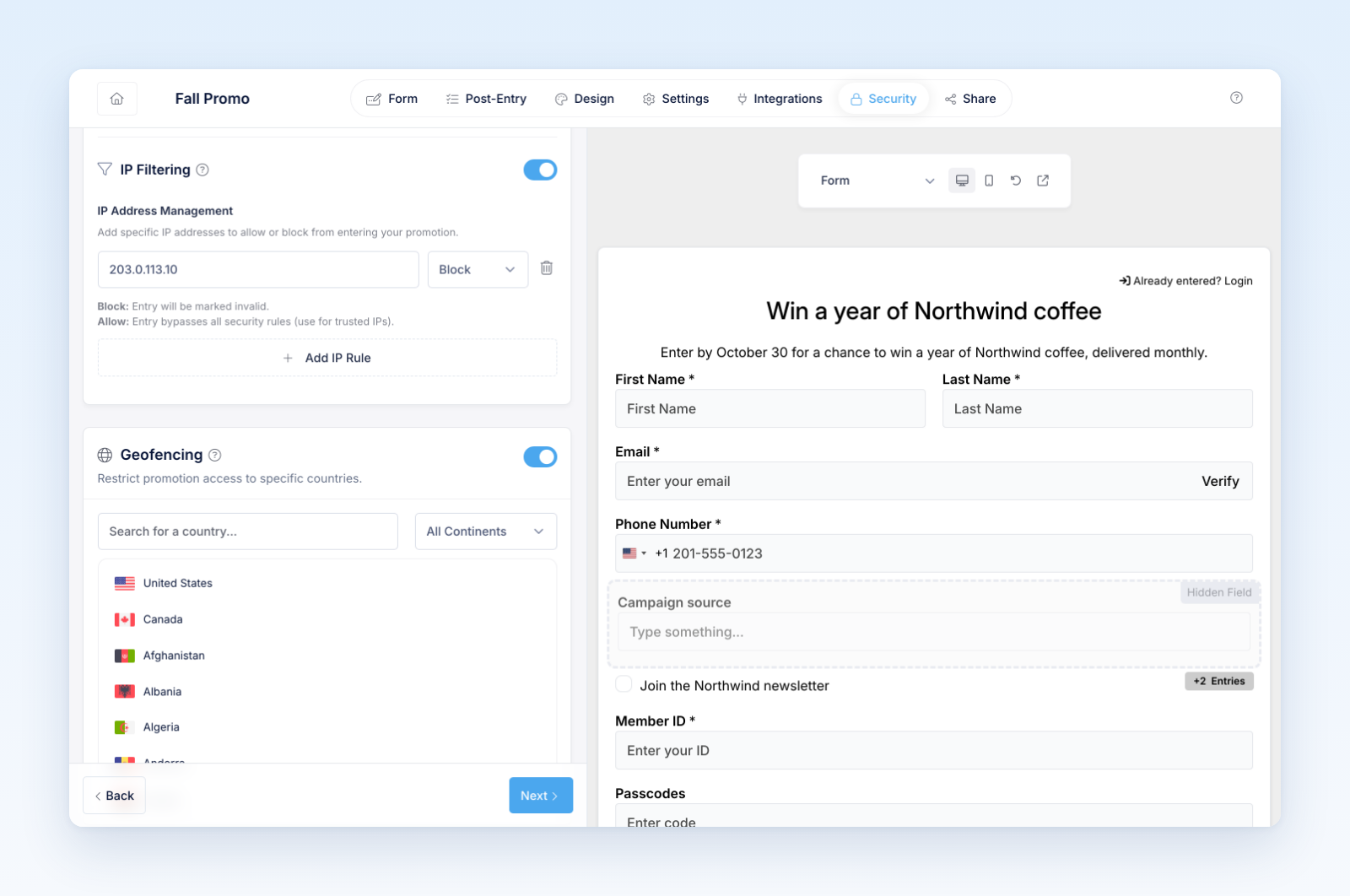
- Add more rules as needed.
A Block rule marks an entry from that address invalid. An Allow rule treats the address as trusted and bypasses Revup's other IP-based security rules, including the per-IP limit and VPN/proxy check. Use Allow only for an address you control and trust.
Block VPN and proxy connections
Choose Strict or Medium, or enable Block VPN and proxy connections under Custom. Revup compares the participant's connection with its maintained network lists. Matching entries are marked invalid for review.
No network list is perfect. A connection may change classification, and legitimate corporate or privacy services may be detected. Review invalid entries and your official rules before making a winner decision.
Test before launch
- Submit enough test entries to confirm the configured limit.
- Confirm trusted Allow rules only for the intended address.
- Check that blocked or detected entries appear with the expected invalid status.
- Remove test data or use a fresh promotion before launch.
Was this helpful?
Still need help? Ask the team