Set up winner claims and notifications
Create a claim form, notify winners, collect required information, manage deadlines, and track fulfillment.
Prepare verification and fulfillment
Winner claims give selected winners a secure place to confirm details and provide the information required to receive a prize.
Create the claim form
- Open the promotion dashboard and select Winners.
- Select Prepare Claim Form, or Edit Claim Form if one already exists, to open the claim-form editor.
- Add only the fields needed to verify eligibility and fulfill the prize.
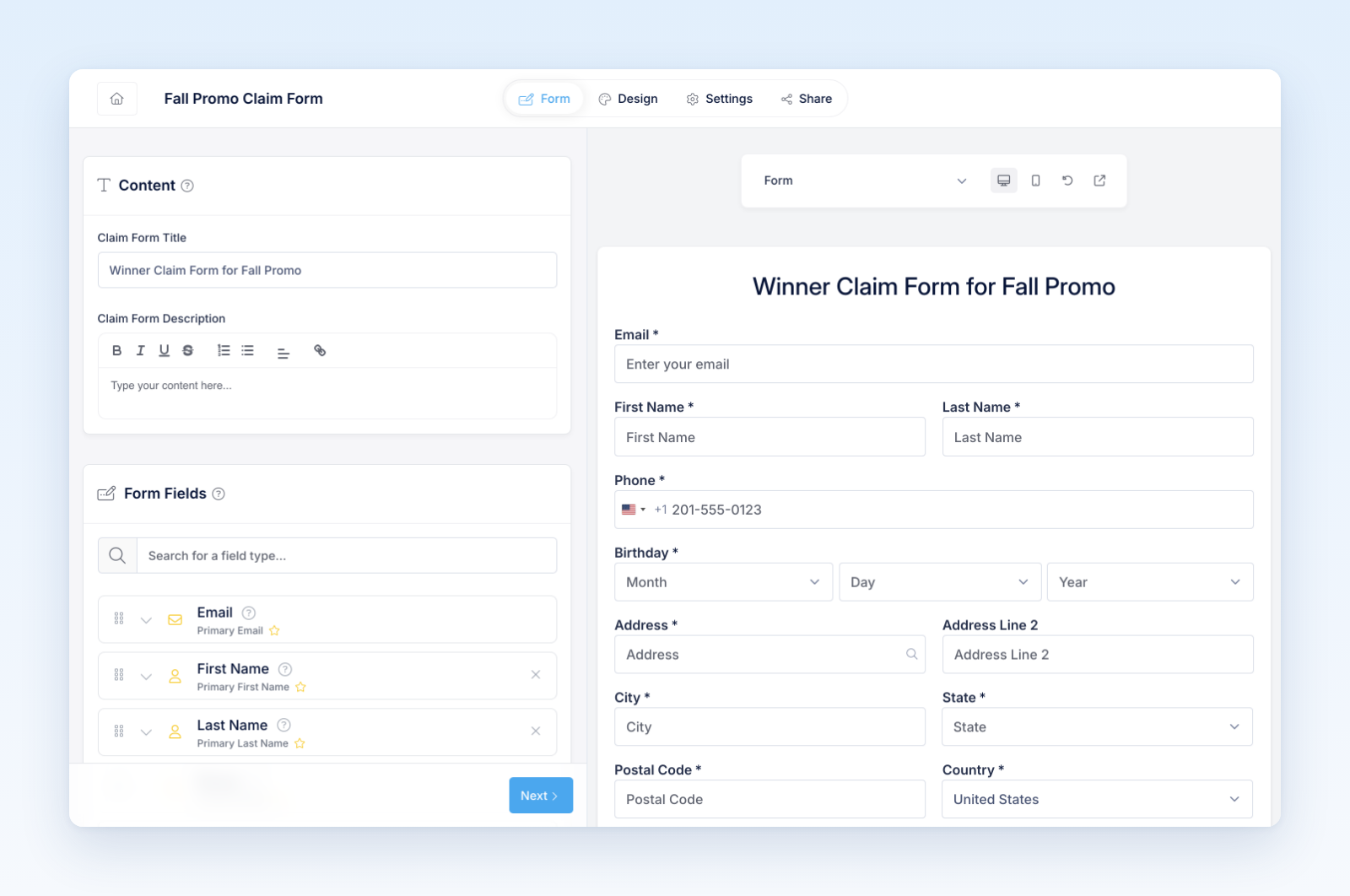
- Configure any affidavit, release, tax, address, upload, signature, or acknowledgement requirements.
- Preview the form in every enabled language.
A claim link expires 3 days after it is sent. While a claim is pending, you can extend its deadline from the winner's Prize Claim menu.
Claim forms are separate from the public entry form. Avoid collecting sensitive information unless it is necessary and your team has an approved process for handling it.
Notify a winner
- In Winners, open the winner's Prize Claim menu and select Send claim form.
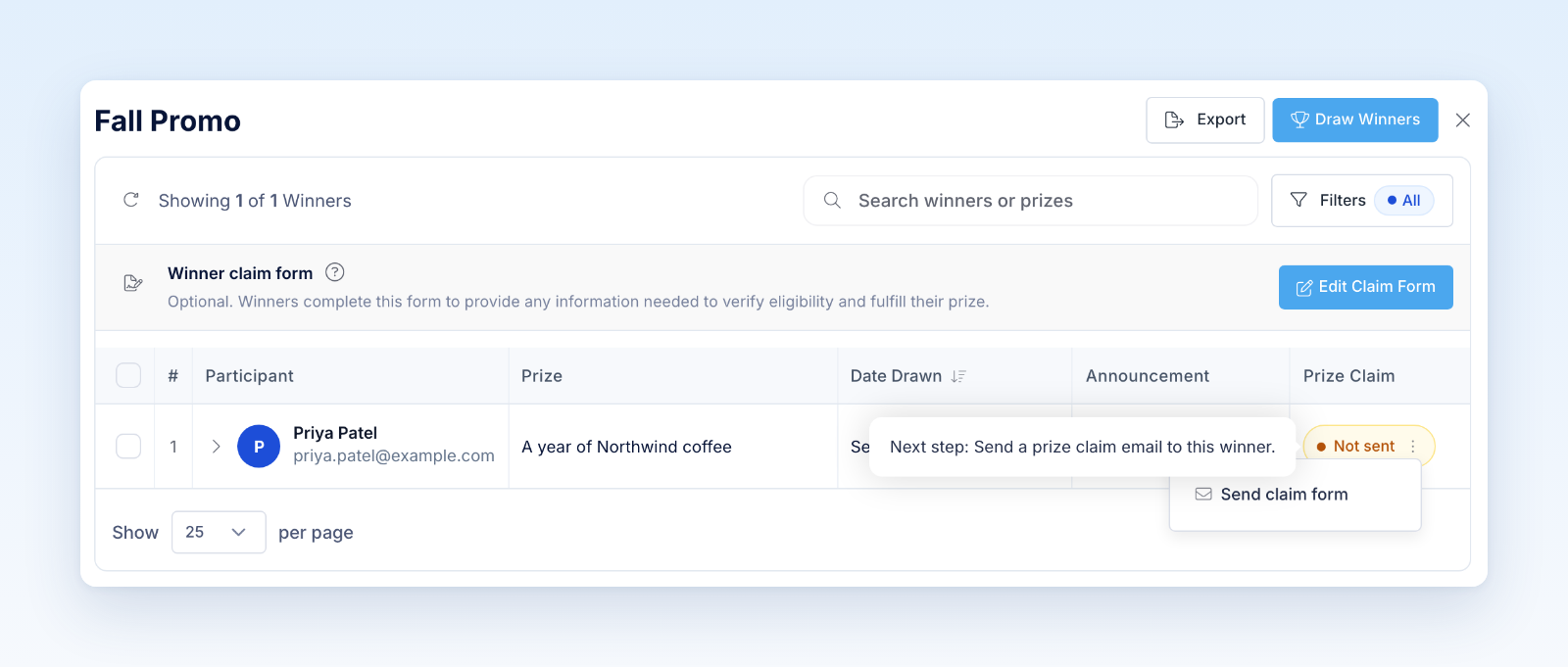
- Review the From and Reply-To senders, the recipient email, and the prize.
- Customize the notification subject and message when needed.
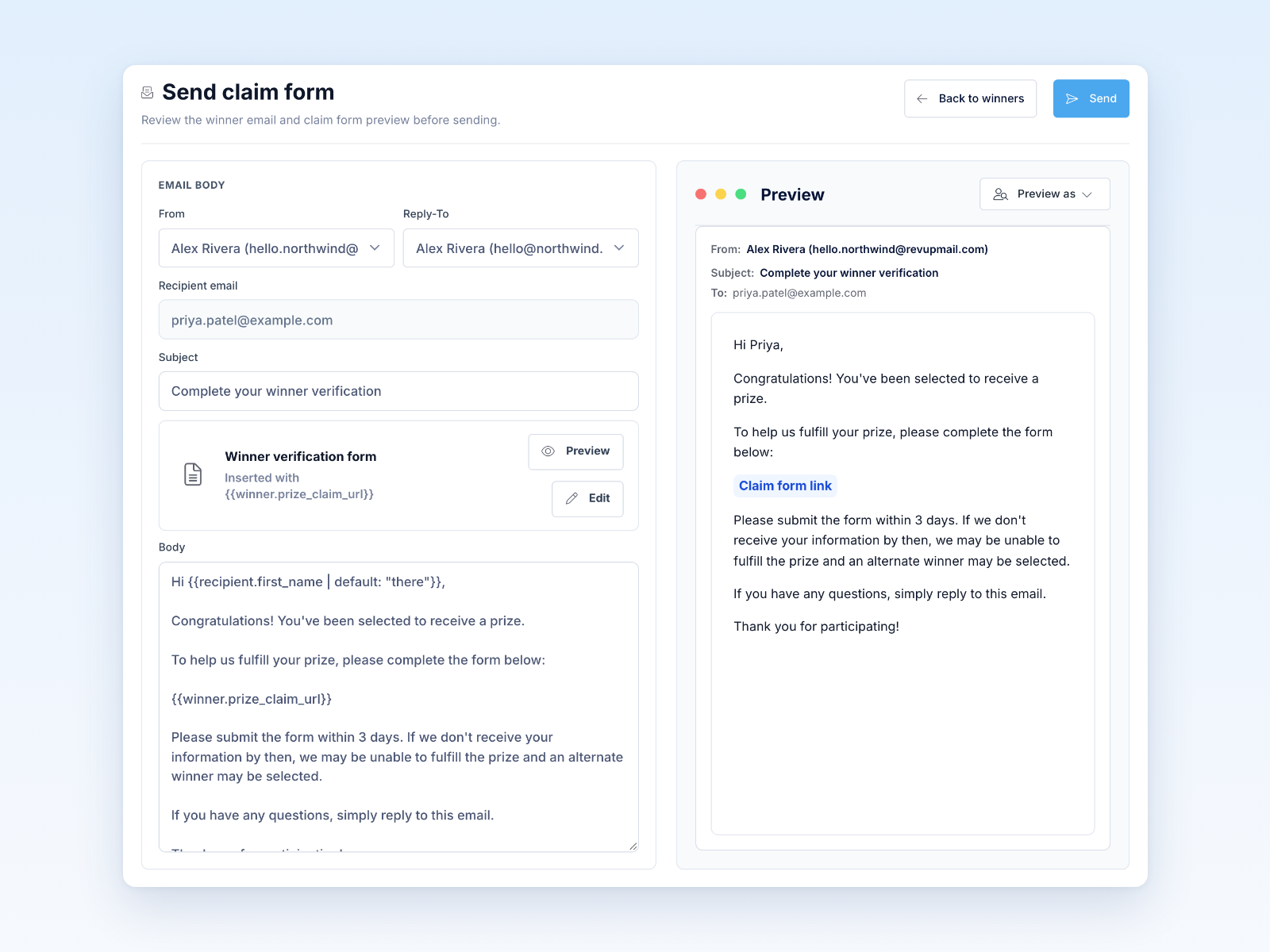
- Select Send.
- Confirm that the winner's Prize Claim status updates.
Use resend only when appropriate; repeated notifications can confuse the winner or trigger spam controls.
Manage the claim
Revup tracks pending and submitted claims, notification attempts, deadlines, and fulfillment. Authorized users can review submitted answers, extend a pending deadline, mark fulfillment, or use the documented disqualification and replacement process.
For Instant Win, claim fulfillment is also reflected in the Instant Win prize-claim record.
Before launch
Preview the claim form and notification before the promotion starts. Confirm the rules explain the response deadline, required documents, alternate process, privacy treatment, and how the prize will be delivered.
Was this helpful?
Still need help? Ask the team