Draw sweepstakes winners and alternates
Run a random drawing, include alternates, review results, and preserve a clear winner record.
Prepare an eligible drawing
Use the Winners section to run a random drawing from eligible entries after the promotion has ended.
Before drawing
- Confirm the entry period is closed in the timezone stated in the rules.
- Resolve known invalid or test participants.
- Confirm prize quantities and the number of alternates.
- Export or retain any records required by your internal process.
- Make sure the user running the drawing has winner-management permission.
Run the drawing
- Open the promotion dashboard.
- Select Winners.
- Select Draw Winners.
- Select the prize and number of winners.
- Add the number of alternates required by the rules.
- Review the summary carefully.
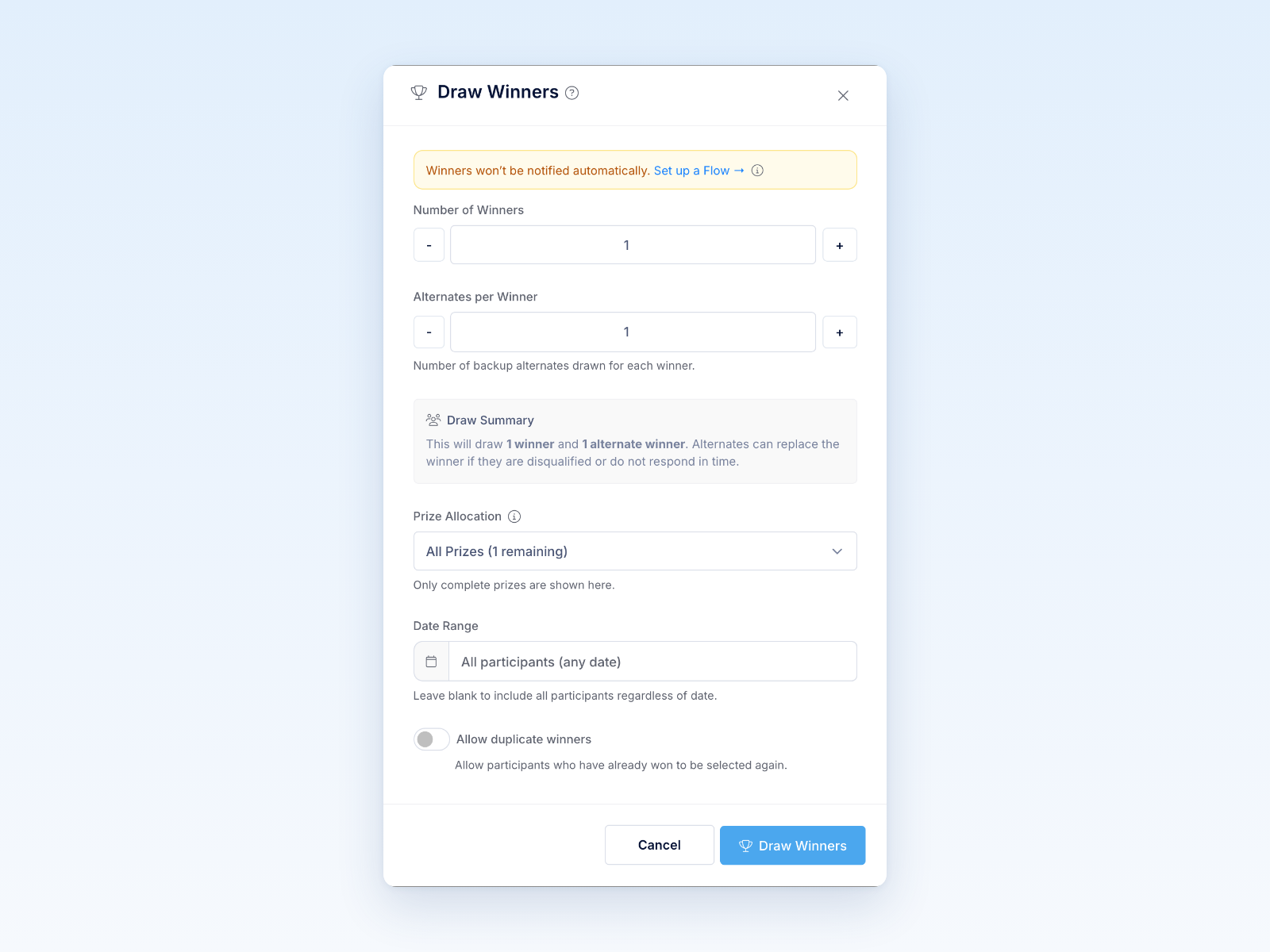
- Confirm the drawing.
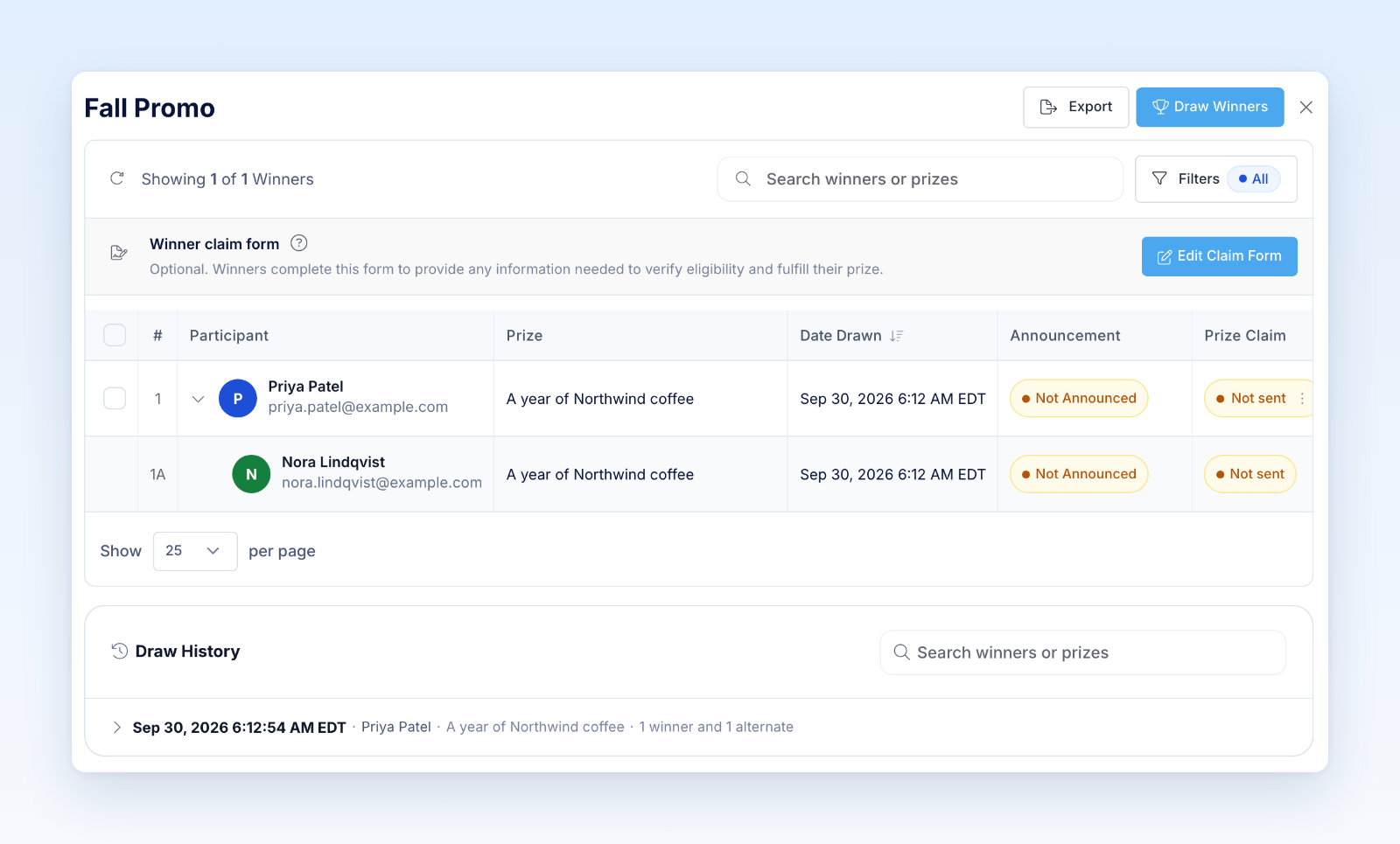
Revup records the selected winner rows and their relationship to the prize and drawing. Do not repeat a completed drawing simply because you dislike the result.
Verify eligibility
Selection is not the same as final verification. Review the potential winner against the official eligibility requirements and any required documentation. Keep the winner inactive, disqualify them, or replace them only through the supported winner workflow and for a documented reason.
What happens next
Notify the selected person and send a claim link when claims are required. Track the notification attempt, response, deadline, documents, and fulfillment in Revup. If the winner does not qualify or complete the claim, use the configured alternate process rather than running an unrelated new drawing.
Restrict access to winner information. Public announcements should include only the information allowed by the rules, consent, and applicable privacy requirements.
Review the drawing controls
Number of Winners starts at 1. Alternates per Winner starts at 0 and sets backup people for each winner, not one shared total. Review Draw Summary before confirming.
Prize Allocation lists complete prizes and their remaining slots. Add a named prize in the builder if none is available. Date Range is blank by default, meaning all otherwise eligible participants regardless of entry date. Allow duplicate winners is off by default; turning it on allows someone who has already won to be selected again. Follow your rules when changing it.
Was this helpful?
Still need help? Ask the team