Configure contest submission fields and upload requirements
Collect contest media, captions, contact details, consent, and judging information with clear upload requirements.
Collect the information needed for review
The contest form should collect enough information to review and contact a participant without making submission unnecessarily difficult.
Configure the media field
- Open the contest builder and go to Form → Form Fields.
- Select the existing upload field or add the supported contest upload field.
- Choose the media type and accepted formats.
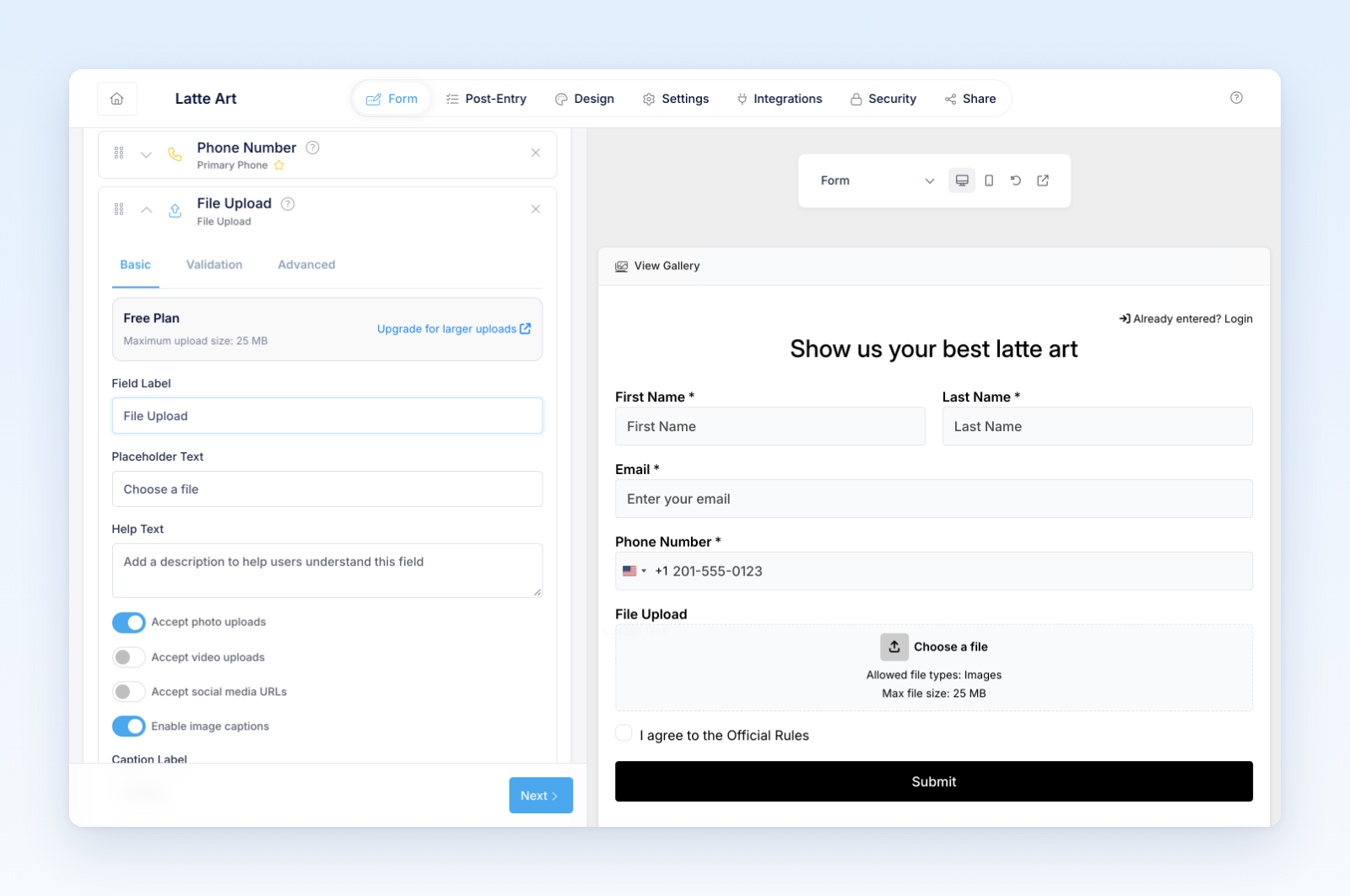
- Add clear instructions for content, orientation, quality, length, and size.
- Mark the field required when a contest entry is not valid without media.
- Save and test with real files from mobile and desktop.
Revup processes uploaded contest media after submission. Large video files may take longer to become ready for moderation or preview.
Recommended supporting fields
Use an email field to identify and contact the participant. Add name, caption, description, category, location, or other judging information only when needed. Include consent or rules acceptance that covers public display and the rights described in your official rules.
Avoid asking participants to place private information in a caption or other content intended for the public gallery.
Write useful instructions
State:
- Whether photos, videos, or both are accepted
- Allowed formats and practical size or duration expectations
- Whether editing, filters, music, logos, or multiple people are allowed
- Whether minors or third parties may appear
- Whether the entry will be displayed publicly
- What makes a submission eligible for approval
Test failures as well as success
Try an unsupported format, oversized file, interrupted upload, missing required field, and valid submission. Confirm the participant receives a useful message and can retry without losing more information than necessary.
Was this helpful?
Still need help? Ask the team