Review and moderate contest submissions
Inspect contest entries, approve eligible media, reject unsuitable submissions, and control gallery visibility.
Before you review
Use Moderation to decide which contest submissions can appear in the public gallery. You need permission to manage entries to change decisions or save notes. If you can only view submissions, ask an account administrator to update your access.
Apply the eligibility and content requirements in your official rules consistently. Check that the media can be viewed, the caption is suitable for public display, and the submission meets your contest’s requirements.
Review a submission
- Open the contest dashboard and select Moderation.
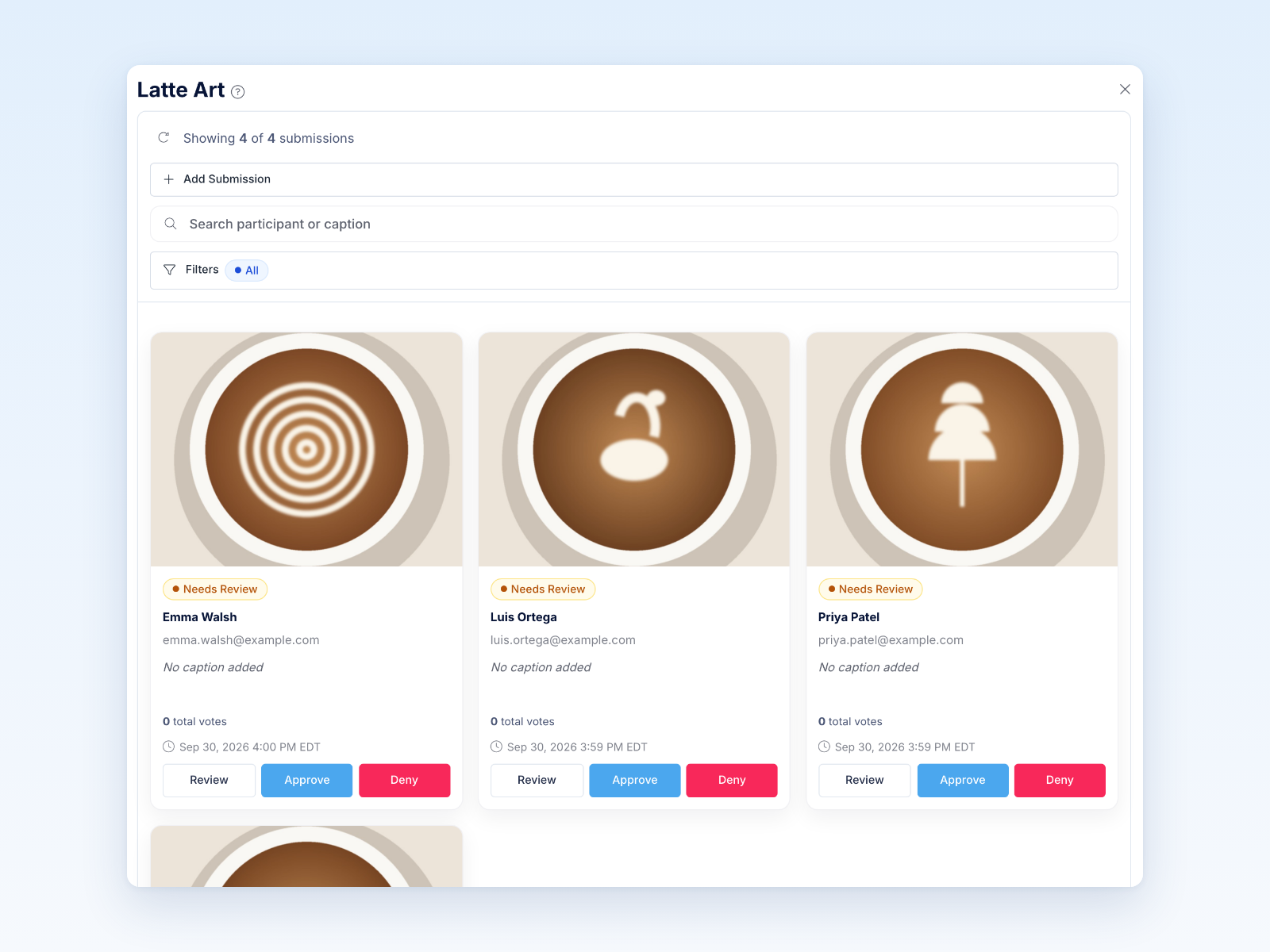
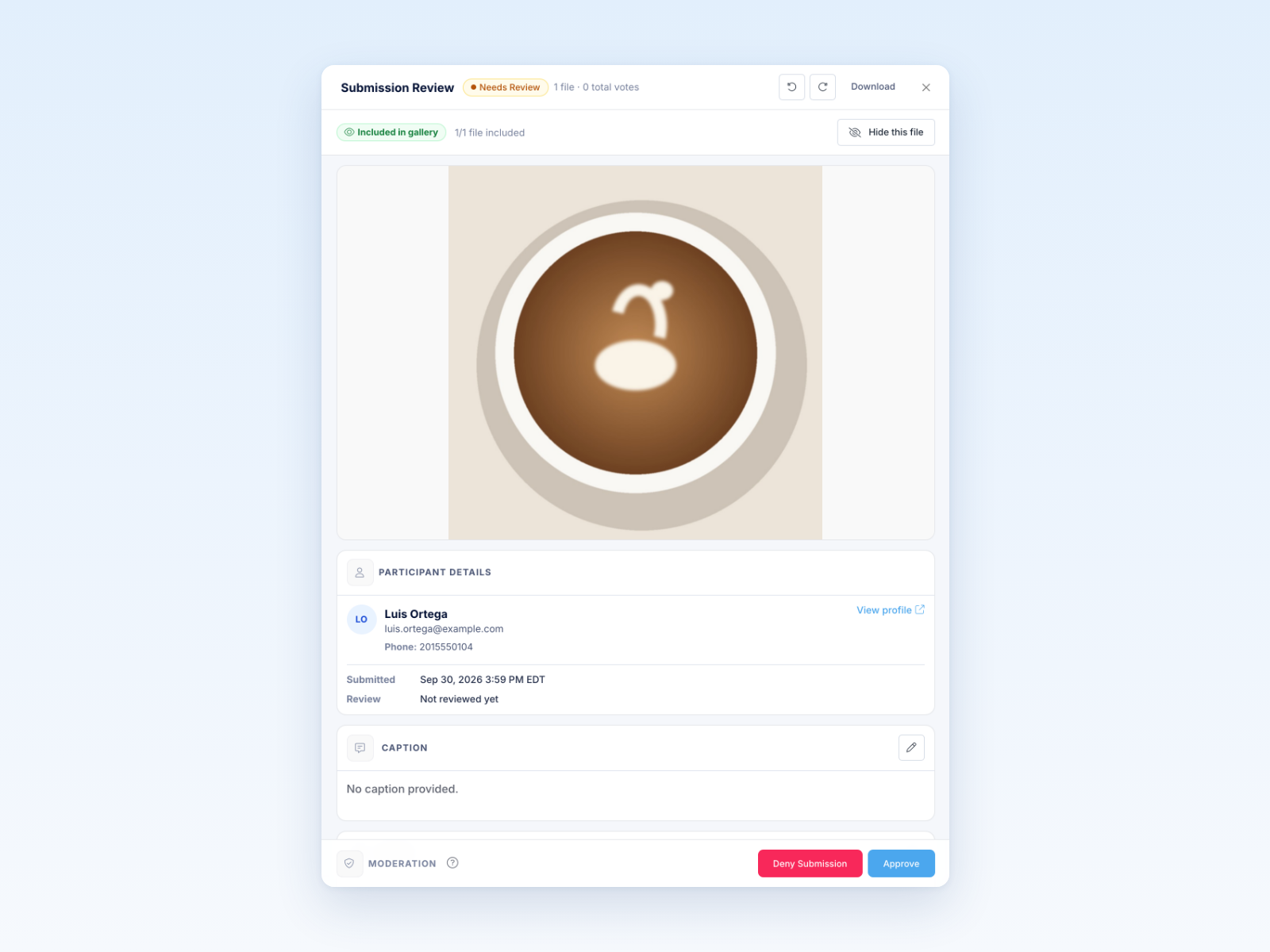
- Open a submission to inspect its media, caption, participant details, and review history.
- Add context for your team under Moderator Notes if needed: select the pencil, enter your notes, then select Save Notes. Saving notes does not approve or deny the submission.
- Select Approve or Deny Submission, then review any confirmation shown.
The question-mark icon beside the main heading opens this guide without needing to open a submission first.
Choose a decision
Available actions depend on the submission’s current state. If Approve is disabled, check the media’s readiness and any displayed warning. If approval will also mark an invalid participant valid, Revup shows a confirmation explaining that change; review it before continuing.
Understand gallery and voting effects
Only eligible, approved submissions with ready media can appear in the public gallery. Public voting also depends on the contest’s voting settings and voting period. Approving a submission does not by itself open voting.
Denying an approved submission or returning it to Needs Review removes its eligibility for gallery display and public voting. Its eligibility also affects the valid-submission and vote totals in reporting. Do not expect reporting totals to remain unchanged after correcting a decision.
Use the contest’s Votes tools to investigate individual votes. Changing a submission’s moderation decision is a different action from managing an individual vote.
Record reasons and check notifications
Use Moderator Notes to keep review context for your team. A saved Denial Reason is shown in the submission’s review details. It may also be included in a participant email when an active Flow is configured to send it, so write it with that possibility in mind.
Approval and denial can trigger configured review Flows. Read any notification notice shown before confirming a decision; do not assume every contest sends a message automatically. Saving notes or returning a submission to Needs Review does not itself trigger an approved/denied review Flow.
Correct a decision
Open the submission again and choose the appropriate available action. Use Return to Needs Review when another review is needed, or Approve / Deny Submission when the correct decision is known.
Changing the decision does not recall emails already sent. Consider gallery visibility, voting, reporting, and configured Flows before changing an already-public submission. Record why the decision changed in Moderator Notes.
Was this helpful?
Still need help? Ask the team