Create your first promotion
Start a new Revup promotion and understand the first choices you will make.
Choose how to create your promotion
You can start a new promotion from the Revup dashboard and then complete the setup in the promotion builder.
Before you start
Decide what you want the participant to do and what they receive in return. For example: submit a form for a chance to win, upload a photo, receive an immediate result, or earn entries from a Shopify purchase.
You also need permission to create promotions in the selected Revup account.
Create the promotion
- Open the Revup dashboard.
- Select Create Promotion.
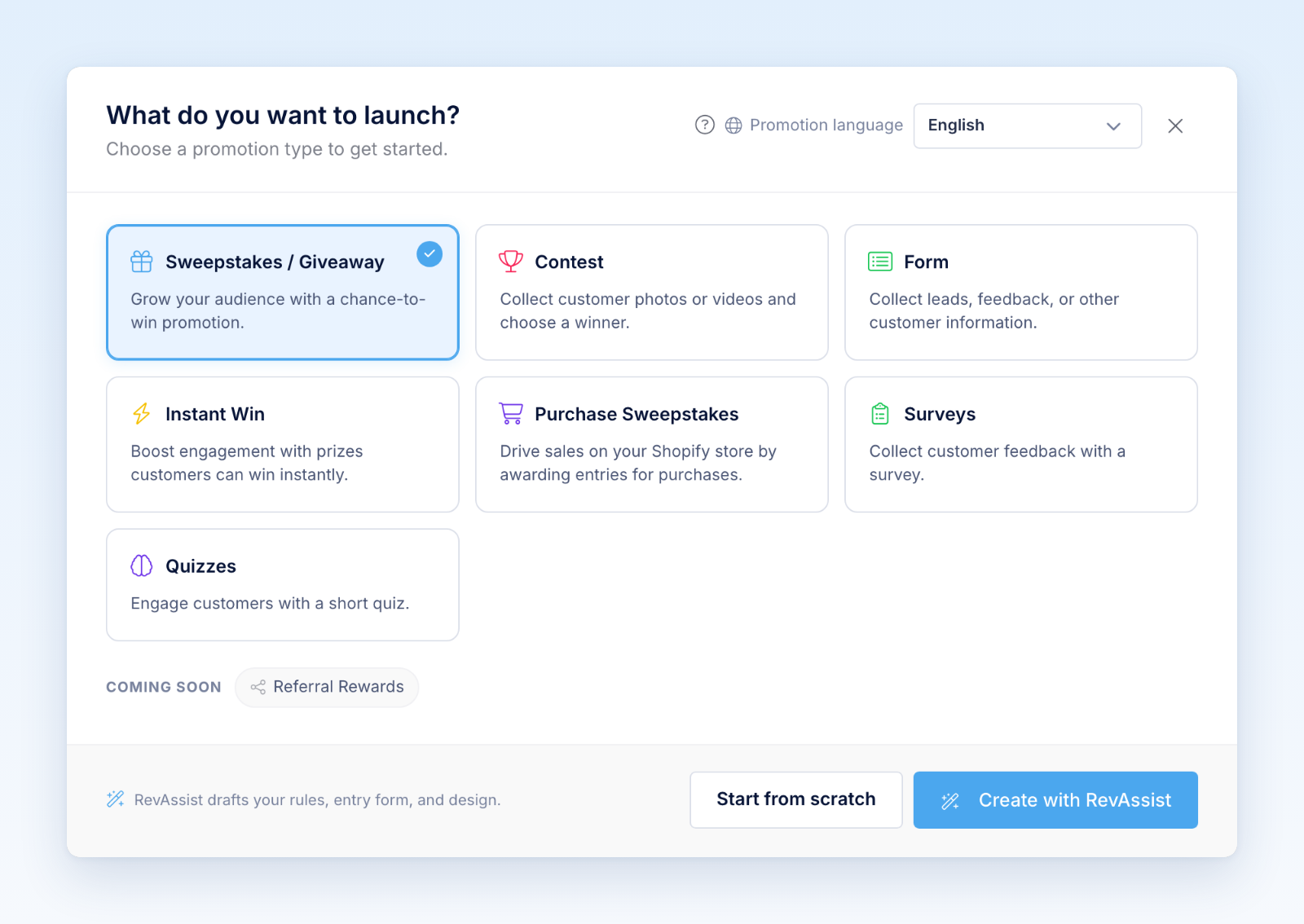
- Choose a product type:
- Sweepstakes / Giveaway
- Contest
- Form
- Instant Win
- Purchase Sweepstakes
- Choose Promotion language for the language your promotion will be written in.
- Select Start from scratch to open the builder, or Create with RevAssist for guided AI-assisted setup.
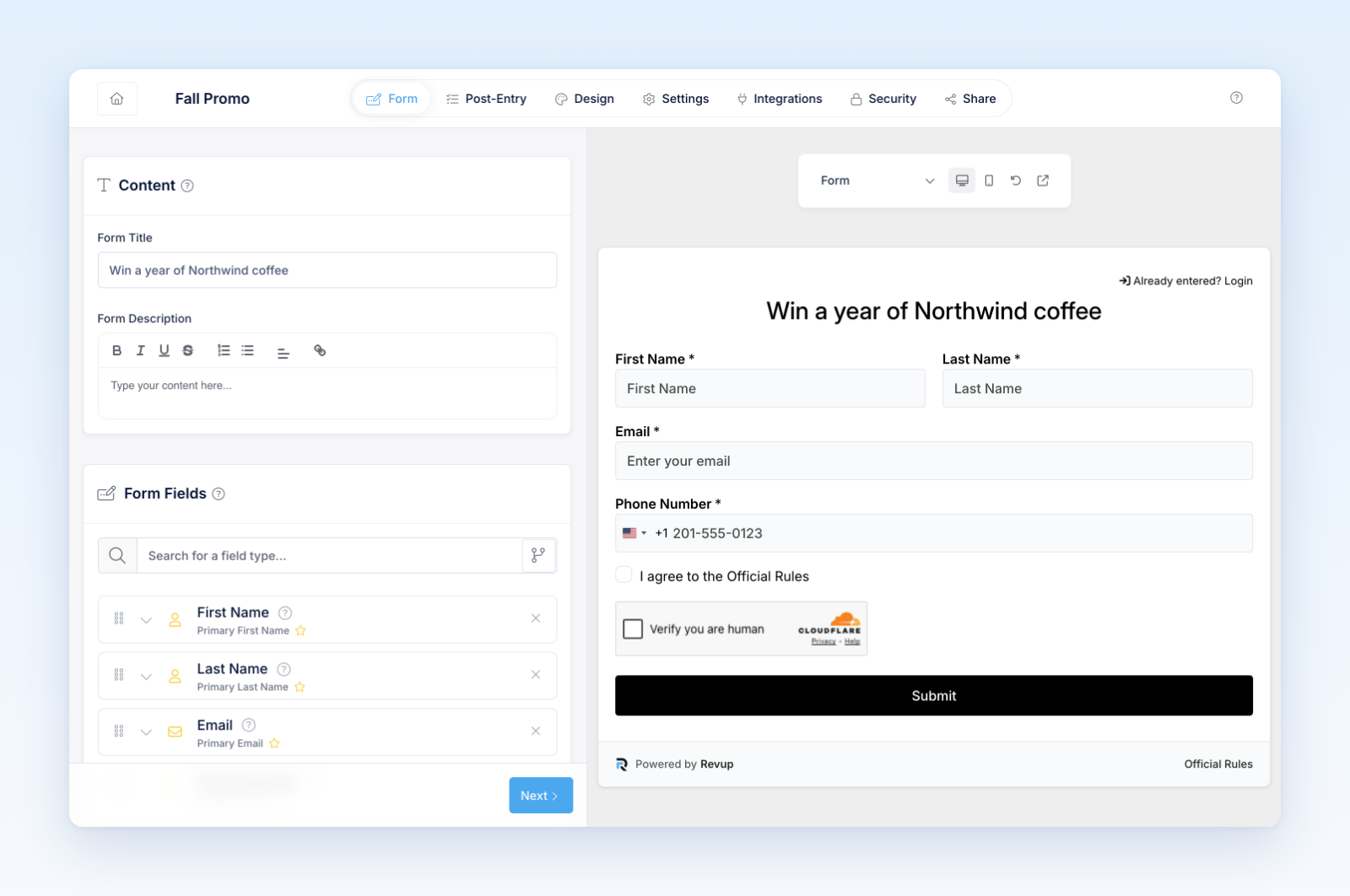
- Review the generated name, public Form Title, dates, and settings in the builder. The internal promotion name and public heading can serve different purposes.
What happens next
Revup creates the basic promotion, design, and form records for the product you selected. The builder only shows settings that apply to that product. For example, a Form does not show winner tools, while a Contest adds moderation, voting, and gallery options.
Review every available builder tab before distributing the public link. A newly created promotion has a schedule and a public placement; being editable is not a privacy or unpublished-state guarantee. Set future dates when you are still preparing the launch.
Recommended next steps
- Set the promotion dates and timezone.
- Add or review prizes and eligibility when applicable.
- Build the entry or submission form.
- Customize the content and design.
- Configure product-specific features such as contest voting, Instant Win prizes, or purchase entry rules.
- Connect integrations.
- Preview every state, including success and losing content.
- Complete the launch checklist before publishing.
If you selected the wrong product, create a new promotion with the correct type. Product types have different data and management tools and are not intended to be converted after creation.
Was this helpful?
Still need help? Ask the team