Revup overview: products and key concepts
Learn what you can build in Revup and how promotions, participants, entries, profiles, and integrations fit together.
Understand promotions and customer activity
Revup helps you create interactive campaigns and forms, collect customer information, reward engagement, and understand the people who participate.
What you can build
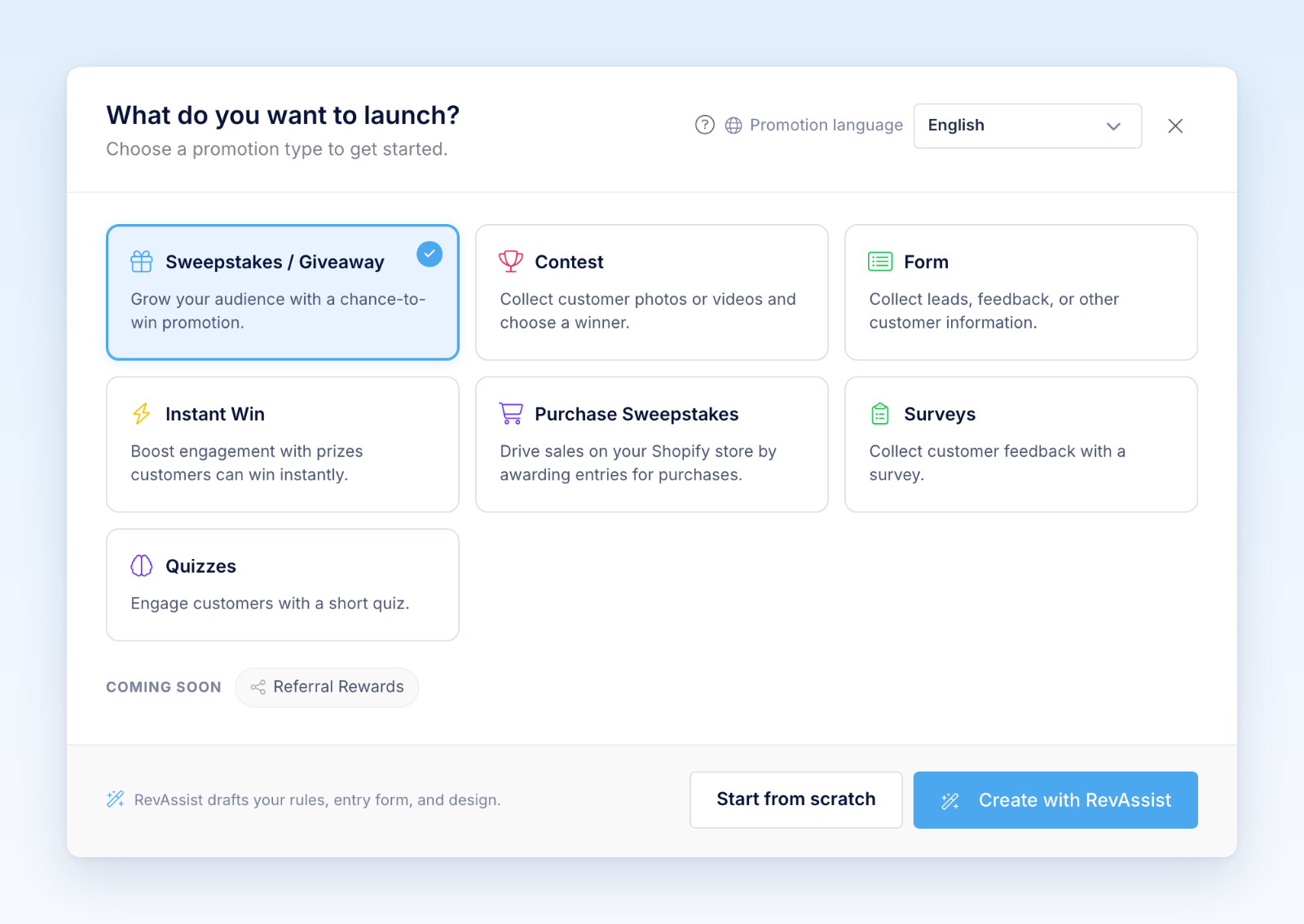
- Sweepstakes & Giveaways collect entries for a chance to win. You can award extra entries for referrals and other actions, create official rules, and draw winners.
- Contests collect photo or video submissions. You can moderate submissions, publish a gallery, enable voting, and select winners.
- Forms collect leads, registrations, applications, feedback, files, signatures, and payments without a prize drawing.
- Instant Win tells a participant immediately whether they won. You control prizes, availability, winner content, and optional unique codes.
- Purchase Sweepstakes connects to Shopify and awards entries for qualifying purchases.
Key concepts
Promotion is Revup’s general name for something you build. Forms are also managed through the promotion builder even though they do not have prizes or winners.
Participant is someone who submits a form, enters a promotion, or receives entries from an eligible purchase.
Entries represent a participant’s chances in a prize drawing. A participant may receive a base entry plus bonus entries from referrals, actions, payments, or purchases.
Audience profile brings together a person’s activity across promotions. It can include form answers, entries, purchases, messages, referrals, and uploaded media.
Integration sends participant data to another platform such as Klaviyo, Mailchimp, HubSpot, or a webhook.
A typical Revup workflow
- Choose a product and create a promotion.
- Configure dates, fields, prizes, rules, and product-specific settings.
- Customize the design and participant experience.
- Connect any marketing tools that should receive the data.
- Preview and publish the promotion.
- Monitor participants and reporting while it is live.
- Manage winners, claims, exports, or follow-up messages.
Revup automatically creates or updates an Audience profile as people interact with your promotions, so activity from separate campaigns can be understood together.
What to do next
Start with Choose the right promotion type, then follow Create your first promotion and the launch checklist for your product.
Was this helpful?
Still need help? Ask the team