Set promotion dates and time zone
Control when a promotion opens and closes by setting its start date, end date, times, and time zone.
Plan when participants can enter
The promotion schedule determines when participants can enter. Configure it before publishing links or installation code.
Set the schedule
- Open the promotion builder and select Settings.
- Under Duration, choose the Start Date and start time.
- Choose the End Date and end time.
- Select the Time Zone used by your official rules and campaign team.
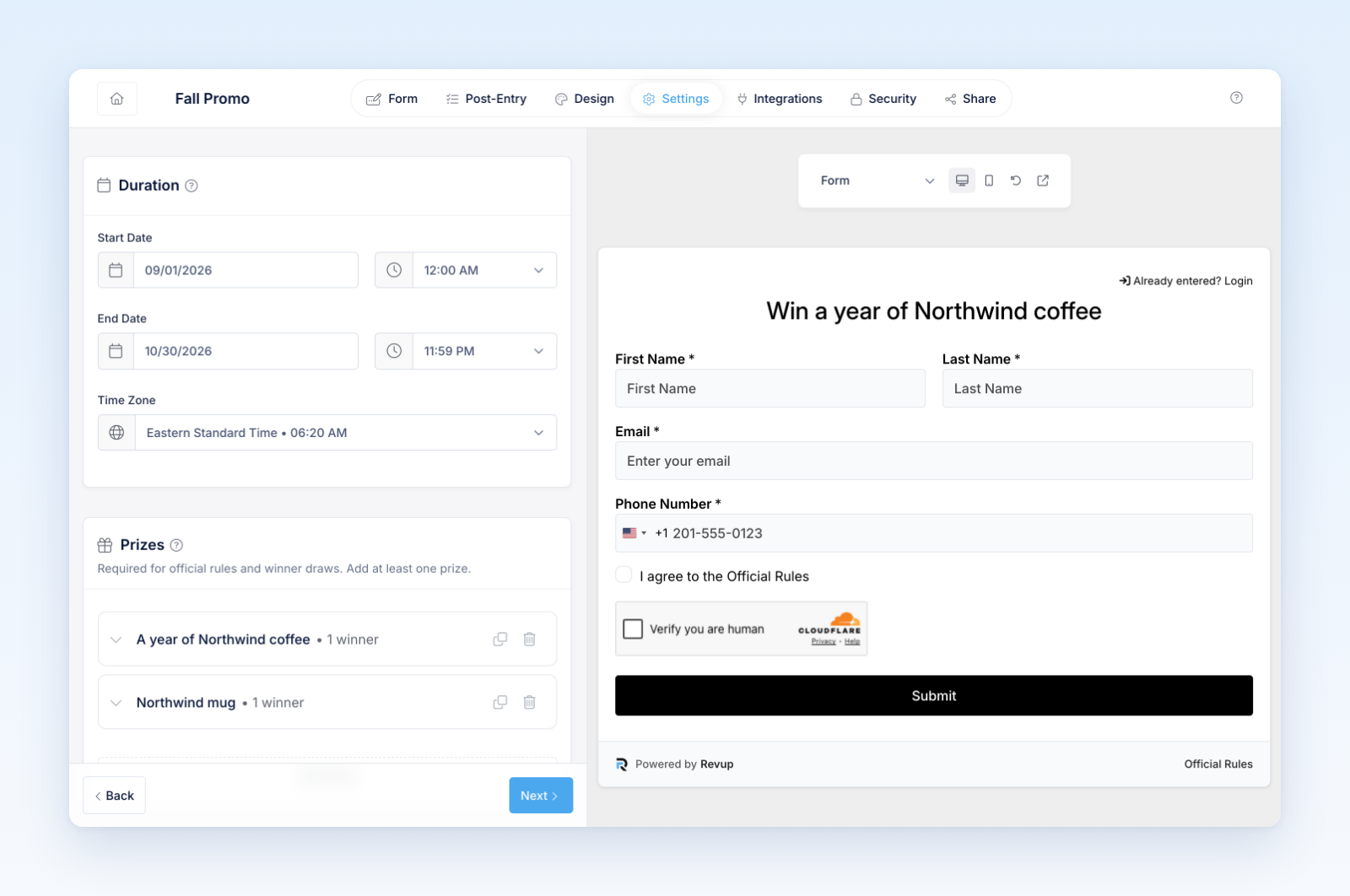
- Confirm that the end occurs after the start.
Revup uses the selected time zone to interpret the dates and times shown in the builder. Participants see the appropriate upcoming, live, or closed experience as the schedule changes.
Before you publish
- Match the start, end, and time zone to the official rules.
- Check daylight-saving changes when the promotion spans a clock change.
- Confirm any voting period, bonus period, prize availability, or flow timing that has its own schedule.
- Preview the upcoming and closed content as well as the live form.
Changing the schedule after you have shared the promotion can affect participant access and time-based automations. Review all related dates before saving a major change.
Review the initial dates
Creation supplies an initial schedule. Check the dates actually saved in your builder; do not assume being editable means the promotion is private or held for a separate launch approval. Set the intended future start before distributing any public link.
Was this helpful?
Still need help? Ask the team