Build a multi-page form
Divide a long form into clear steps and test navigation, validation, progress, and saved attempts.
Build the form pages
Use pages to make a long form easier to understand and to group related questions.
- Open Form → Form Fields.
- Add a New page or page-break field where the next step should begin.
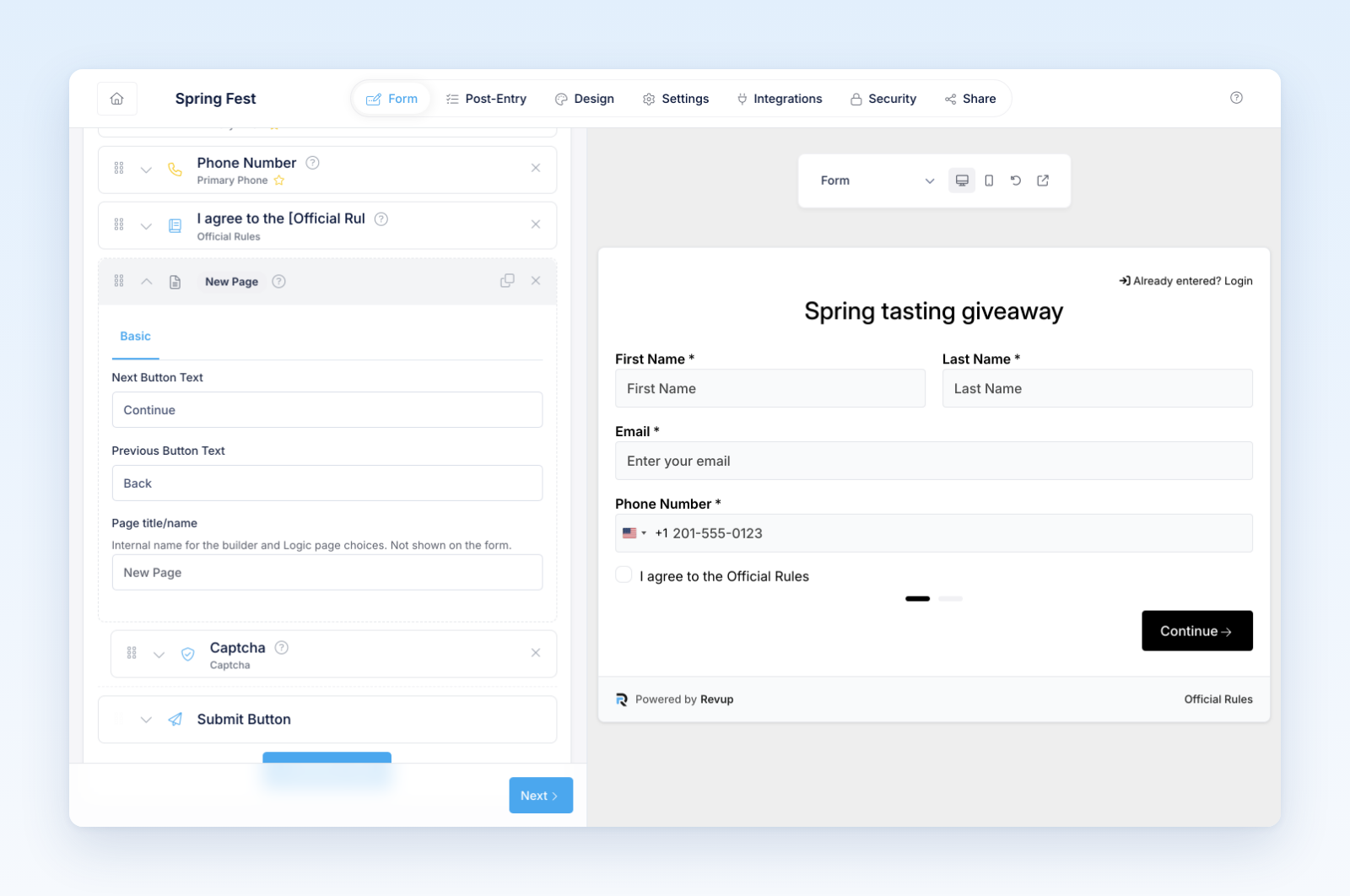
- Place related fields together on each page.
- Add a short heading or instructions at the start of a step when needed.
- Review button labels and progress text.
- Save and preview every page.
Put simple qualifying or contact questions early and demanding uploads or long answers later, but tell participants what they will need before they begin. Do not create so many pages that each click adds friction without improving clarity.
Test navigation
- Required-field errors on each page
- Back and next buttons
- Values retained after moving backward
- Mobile keyboard and scrolling
- Final submission from the last page
- Partial or abandoned attempt behavior
- Resume behavior when available
Page breaks affect the experience, not the final participant record. Submitted field data remains part of one form response.
Was this helpful?
Still need help? Ask the team